The digital-first car customization workflow
Design digitally, swap themes by season or mood, save physical wraps for the statement you actually commit to. Here's how to think about car customization in 2026.

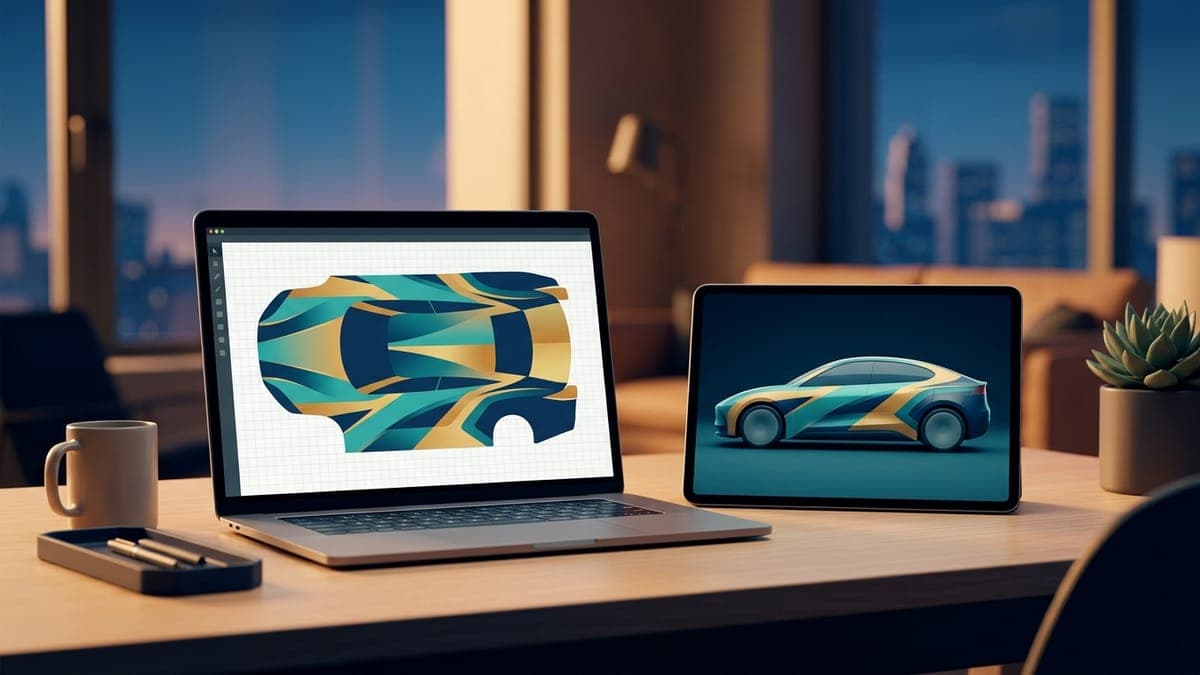
You wouldn't commit to a single phone wallpaper for 5 years. You probably change it monthly, sometimes weekly, sometimes when your mood shifts on a Tuesday. Your phone case, on the other hand, is the one you bought 14 months ago and you'll probably keep it until the corner finally breaks. Different commitment levels for different aesthetic decisions, and that's correct.
Cars used to only have the second category. Paint and physical wraps are the phone case: a single statement you live with for years. Digital wraps add the first category. They're the phone wallpaper. You can iterate constantly with no penalty.
Most people don't think about car customization this way yet. They should.
The old workflow was inverted
Here's how car customization went for the last 70 years. You decide you want a different-looking car. You research paint or wrap options for weeks. You spend $3,000 to $10,000 to commit. You live with the result for years, including the parts you stopped liking after month 4.
The decision was permanent before you ever saw the result on your actual vehicle. Sample chips and small renders aren't the same as walking up to the car at sunset.
Most "wrap regret" stories come from this gap. The color looked great in the shop, looked great on the sample card, then on the actual car at a Costco parking lot at 2pm, it looked off. The shoulders of the Model 3 made the satin teal read greener than expected. The Cybertruck's flat panels showed every banding artifact in the gradient. Now you're $3,500 in and committed.
You can't really iterate on a $3,500 decision.
The digital-first workflow
Flip the order. Iterate cheaply on the digital version, commit physically only if you really want to.
Here's the loop:
- Open the studio, pick your vehicle, sketch a design.
- Run it through the 3D preview. Walk around the car (rotate the model). See how the design looks at different angles.
- Save it. Move on. Try a different version.
- After 5 to 10 designs, you have favorites.
- Apply your top design as your active digital wrap. Live with it for a week.
- Hate it after 3 days? Swap to a different one. No penalty.
- Love it after a month? Maybe consider physical.
This is the same loop you'd use to choose a phone wallpaper, except now you're applying it to your car. The friction is gone. The cost is gone. The commitment is gone.
Most people who try this workflow stop committing to physical wraps entirely, because they realize the visual change was 90% of what they wanted and the digital version delivers that part. Some people still go physical for the paint protection or the showroom presence, and that's fine. They at least made the decision after looking at the design on the actual car for weeks instead of looking at a sample card for ten minutes.
Swap by season, swap by mood
Here's the part nobody on the physical-wrap side gets to do. Once you stop treating your car's look as a fixed commitment, the design starts following your life.
A few patterns we've seen in the gallery:
- December. Subtle holiday themes. Not garish red-and-green; usually a deep maroon with a small accent that hints at the season.
- Summer. Bright gradients, blues and yellows, beach palettes.
- Sports playoffs. A wrap in your team's colors that goes up the week before the conference finals and comes down after.
- Work week vs weekend. Some users keep a conservative dark wrap for client meetings and swap to something louder on Saturday.
- Road trips. A specific wrap for a specific drive. Pacific Coast Highway gets a sunset gradient. A mountain drive gets a topographic map pattern.
None of these would justify a physical wrap. All of them are free with a digital one.
The thing nobody tells you is how often you'll actually want to change. People predict they'll change once a year. The reality, based on usage data, is most active users swap their active wrap every 2 to 4 weeks. Once the friction is gone, the rate of iteration goes up dramatically.
The community gallery is a massive shortcut
You don't have to design from scratch. The gallery has thousands of designs other users have published, organized by vehicle and tags. Most are forkable, which means you copy the design into your own studio with one click and modify from there.
The fork-and-modify workflow is faster than designing from a blank template, and the result is usually better because you started from something that already works. Find a wrap you like, fork it, swap the primary color, save your version, done. 5 minutes from inspiration to a wrap on your car.
This is similar to how anyone making images in 2026 actually works. Nobody draws from a blank page. You start with a reference, you modify, you make it yours. The gallery is the reference library.
A few rules of thumb when forking:
- Credit isn't required, but the original designer can see how often their work gets forked, which is part of why community members publish.
- Don't fork-and-immediately-republish without modifications. The gallery moderators reject straight copies.
- If you're new to wrap design, fork five different designs and modify each. You'll learn what works faster than from any tutorial.
When physical still makes sense
We're not anti-physical. There are good reasons to commit:
- You drive on highways with heavy truck traffic. Stone chips chew through factory paint. A 7-mil vinyl or proper paint protection film absorbs them. This is a real reason.
- You're keeping the car for 5+ years. Amortized over time, a $3,000 wrap is roughly $50/month, which is competitive with the Pro digital tier and includes paint protection.
- You go to Tesla owner meetups, car shows, or otherwise want strangers in parking lots to compliment the car. Other drivers don't see digital wraps. They see physical ones.
- You've already iterated digitally for months and you know exactly what you want. This is the right path to physical. Skipping the iteration step is the trap.
The first three are legitimate reasons to commit. The fourth is the one we recommend. Digital first, physical second.
How this changes design itself
When designs are cheap, design quality goes up. You can experiment with bolder choices because you're not stuck with the result. You can put a wild concept on the car for a weekend and see how it actually feels.
The designs that win in the gallery are usually not the safe ones. They're the ones where someone tried something specific (a topographic map of their favorite hiking trail, a typography piece in a font they love, a recreation of a 1980s sci-fi paperback cover) and committed to executing it well. Those designs would never get made if the cost of being wrong was $3,000.
This is a parallel to what happened with digital photography. When film cost $1 per shot, people took careful, conservative photos. When digital made the marginal cost zero, people took bolder photos and got better faster. Same thing is happening with car design.
The thinking shift
Stop treating your car's look as a permanent decision. Start treating it as a rotating display.
A car is the most expensive thing most people own, and historically the second-most expensive aesthetic decision they make (after the house). Digital wraps remove the cost from the aesthetic decision. The car is still expensive, but the look on top of it is no longer locked.
If you can swap your phone wallpaper at 2am because you saw a sunset photo you liked, you should be able to swap your car's look the same way. In 2026, with current Tesla firmware and a free FrunkLab account, you can. Most people just haven't internalized the shift yet.
If you want to see how this looks in practice, browse the gallery and see how often the same users publish wildly different designs. That's the digital-first workflow in action.
For more context on the cost difference, see the digital wraps vs physical wraps comparison. For the design step itself, the 3D preview tutorial walks through using the rotating render to evaluate a design before committing.
Pick a vehicle and start a draft in the studio.
Put a custom wrap on your Tesla
Free community designs for every model, or make your own in the browser.


