The Garage is live. Design your wrap on the 3D car itself
I've wanted to ship this one since the week FrunkLab launched.
The original studio works like every design tool: you edit a flat, top-down template of your Tesla, then check a 3D preview to see how it landed. It's precise and it's powerful, but there's a translation step in your head the whole time. You're painting a map of the car, not the car.
The Garage deletes that step. You pick your Tesla, the car loads in front of you in 3D, and you design directly on it. Click the hood, text appears on the hood. Drag a sticker across the door, it slides across the door. The flat template is still there in a Blueprint panel when you want surgical control, but it's now the second screen, not the main one.
It's in beta as of this week. Here's what's inside.
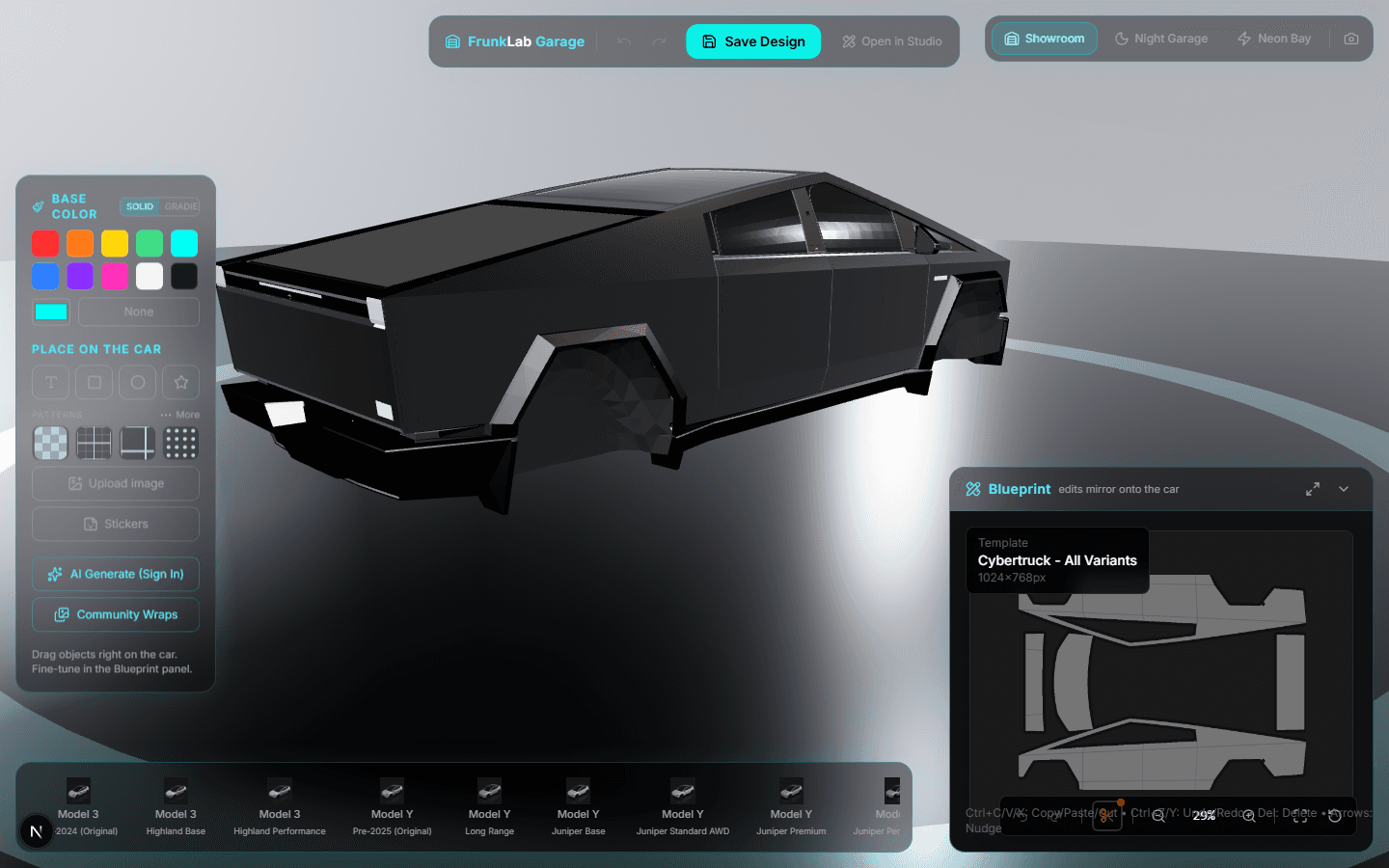
Click the car, not the canvas
The core interaction is stupidly simple: arm a tool, then click the car where you want the thing. A placement banner tells you what's armed, and clicking any panel drops it there.
The detail I'm proudest of is auto-orientation. Car bodies are not flat, and a wrap design that reads correctly on the hood is rotated completely differently from one on a door or the tailgate. The Garage knows which panel you clicked and rotates text and images so they read upright on the actual car. On the old workflow this was the single most common mistake: lettering that looked perfect on the template and lay sideways on the door. Now the editor just handles it, on every panel, on every supported model.
Once something's placed, grab it and drag. The camera holds still while you move a design element around the body, then goes back to orbiting when you let go. Undo and redo work exactly like the studio, Ctrl+Z and all.
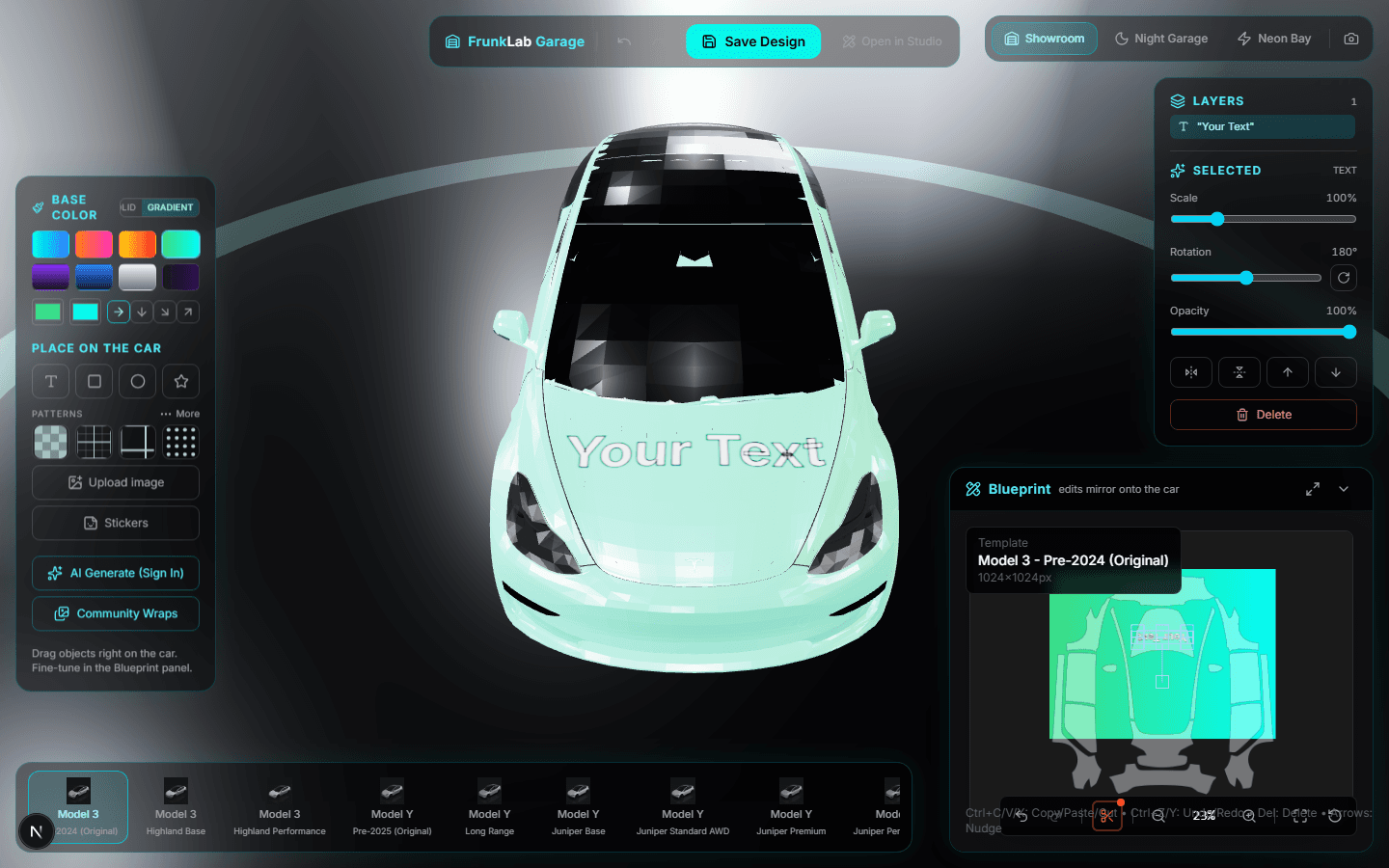
Base coats, gradients, stickers, patterns
The tool dock down the side covers the rest:
- Base color now does gradients, not just solids. There are 8 presets (Sunset, Cyber, Inferno, Aurora, Galaxy, Ocean, Chrome, Midnight) and each chip previews exactly what lands on the car.
- Stickers are new: a built-in library of 43 of them across 5 categories, from flames to racing icons. Pick one, click a panel, done. They auto-orient like text does.
- Patterns got a real picker. All 26 patterns (carbon fiber, hexagons, animal prints, the lot) show live swatches instead of names, with the full catalog one tap deeper.
- The AI generator rides along too, with one upgrade specific to this workflow: it can use your current design as a reference, so "make this but bolder" actually starts from your design instead of a blank page.
Three scenes, one honest answer
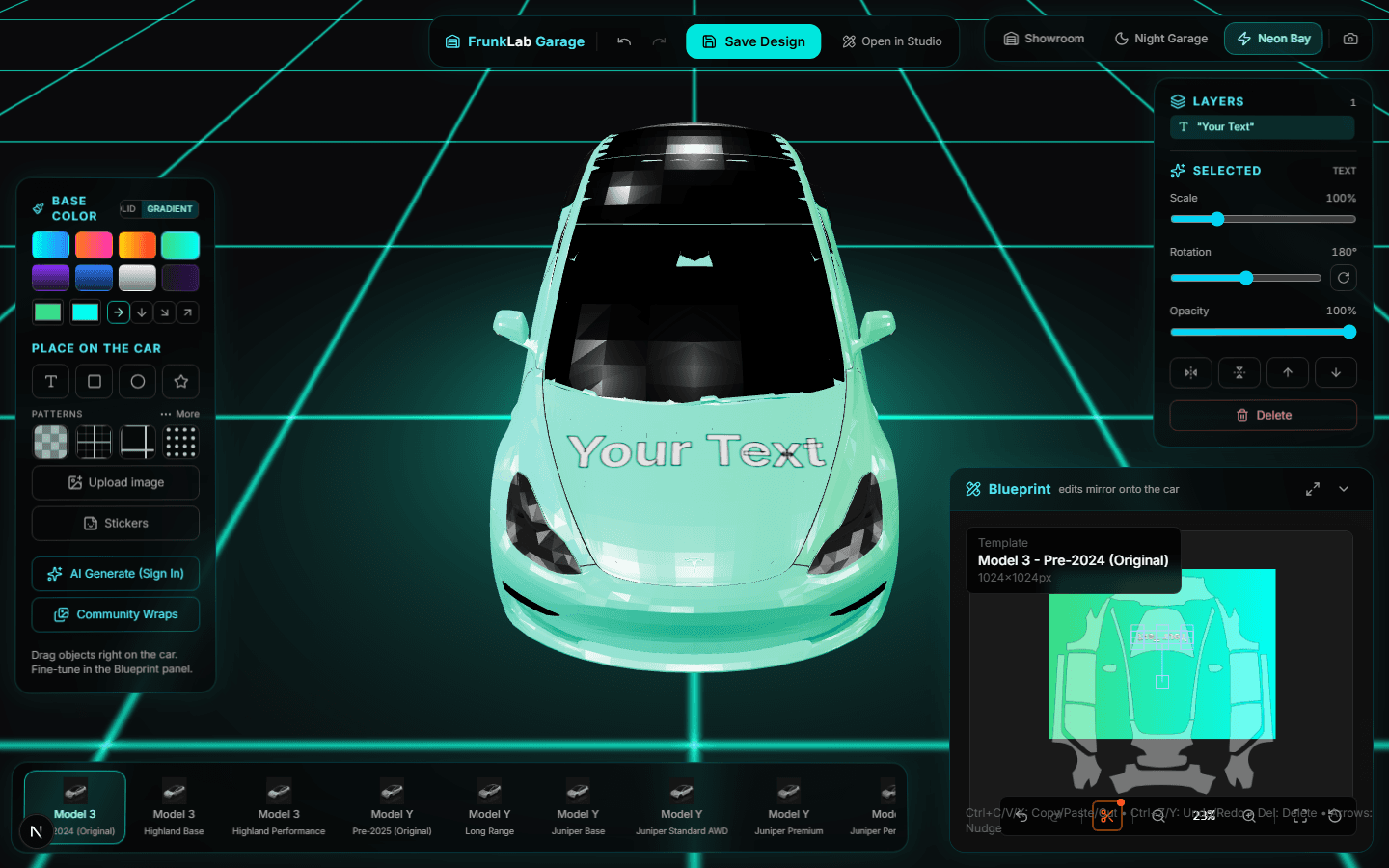
A wrap that looks great in a bright showroom can die at night. The Garage ships with 3 scenes (Showroom, Night, Neon) on the 1, 2, and 3 keys, so you can flip lighting in place and find out before your car does. The floor and ambient glow also pick up your wrap's dominant color, which sounds like a gimmick and turns out to be the fastest way to judge whether a palette works.
Same designs, same gallery, same everything
This is the part I was most careful about. The Garage is not a separate product with separate files. A design started in the Garage opens in the classic studio and vice versa. Saves land in the same Design Hub with the same AI naming and autosave. Gallery submissions work the same way.
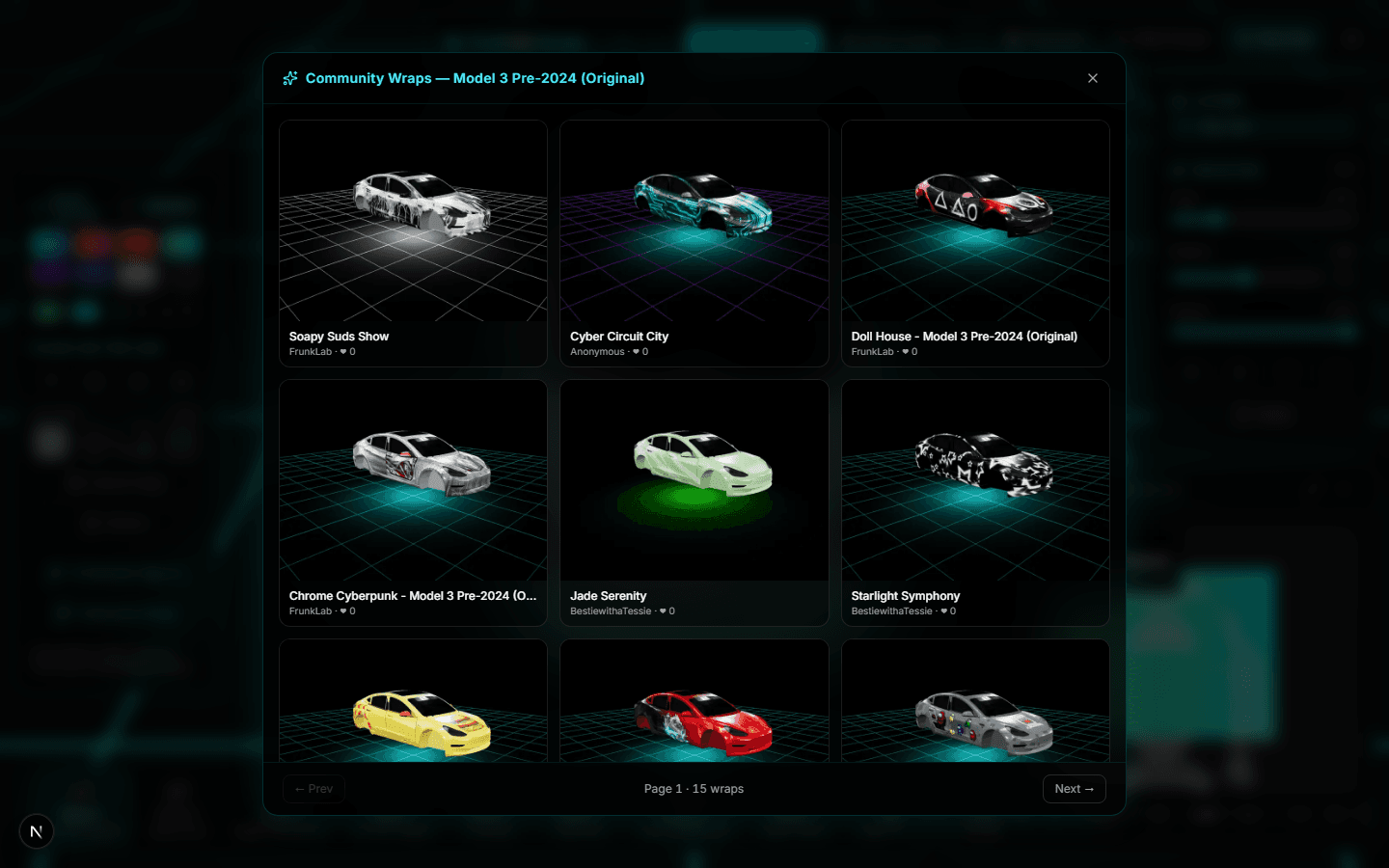
The community gallery is actually built into it: open the browser panel and every wrap you flip through renders live on your car, not on a thumbnail of someone else's. Find one you like, hit Customize, and it forks straight into your editor.
Also new this month
The Garage headlined June, but a few other things shipped around it:
- Save is one click now. No modal, no wizard. Hit Save and you land on the Design Hub, where an AI quietly names the design while you keep working. Everything on that page autosaves.
- The hub does more. Scene settings, attached sounds, the exact wrap file you'll download: all editable in one place after saving.
- The gallery got a hero. The homepage's rotating 3D showcase now opens the gallery too, cycling real community wraps on a live car.
The honest caveats
It's a beta. The Garage wants a desktop browser and a real GPU; phones get pointed to the studio for now. And if you push truly enormous images into a design, the live preview will make your laptop fans express opinions.
Update, August 2026: Model S and Model X now have their own 3D models too, so every supported Tesla is in the Garage. The which Tesla supports what guide has the full matrix.
None of that changes the core: this is the way I always wanted wrap design to feel, like customizing a car in a racing game, except the file that comes out goes onto your actual Tesla.
If you want a guided first lap, the Garage walkthrough tutorial covers a full design in about 10 minutes. Or skip the reading, open the Garage, and click your car.
Put a custom wrap on your Model Y
Community designs, free to grab — or make your own in the browser.


