The Tesla wrap color guide: what actually looks good on each model
Some colors flatter the Model 3's curves; others fight them. Cybertruck's stainless body changes the rules. Here's what we've seen in the gallery over thousands of designs.

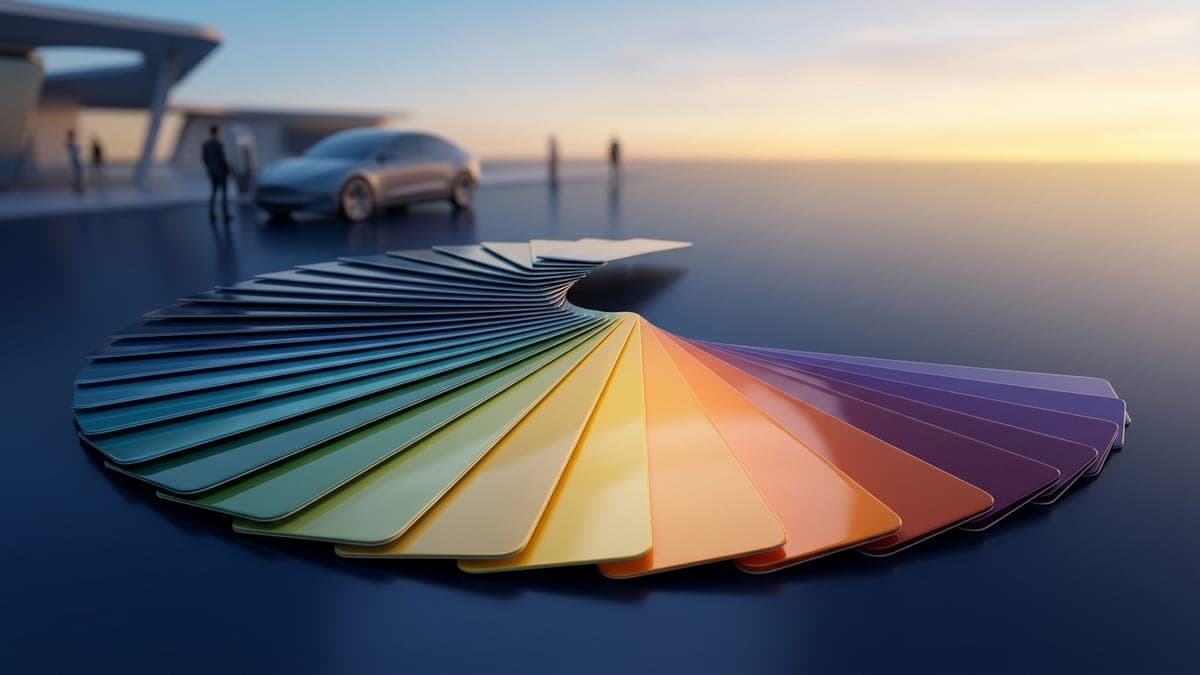
Different Teslas don't react the same way to color. A red that pops on a Cybertruck looks muddy on a Highland Model 3. A black that hides every panel gap on a Model Y reveals every flat surface on a Cybertruck. After watching thousands of designs land in the gallery, patterns emerge. This is what we've seen.
These are opinions backed by what works in the 3D preview and what gets liked in the community grid. Your taste is your taste. But if you've never wrapped a car before, start here.
Why models behave differently
A Tesla wrap is a 2D image (1024x1024 for most vehicles, 1024x768 for the Cybertruck) mapped onto a 3D body. The shape of that body decides what the wrap actually looks like.
The Highland Model 3 has rounded shoulders and a tapered rear. Flat colors get visually broken up by the curves. Highlights run along the body line, shadows fall under it. A solid red on a Highland looks like four shades of red depending on the time of day.
The Cybertruck is flat planes. There are no curves to break up color. A solid red on a Cybertruck looks like one shade of red plus whatever the ambient light is doing. You get what you paint, more or less.
The Model Y is tall and slab-sided. The vertical real estate is huge, especially the doors and rear quarter. Detailed designs read well because there's room. But a dark color makes the car look bigger; a light color makes it look like a fridge with wheels.
That's the framework. Now the specifics.
Dark colors hide a lot
Black, deep navy, charcoal, and forest green flatter almost every Tesla. They hide the panel gaps the wrap can't perfectly cover. They make any reflection on the car body read as a "shine" rather than as a flaw. If your design has rough edges (which it will, because the templates are pixel-bounded), dark colors mask them.
The trade is that dark colors absorb your design details. A black background with subtle gray noise reads as black from 3 feet away. If you spent 2 hours adding texture and you can't see it on the 3D preview, that's why. Use higher contrast accents, or pull the base color one or two notches lighter.
Satin black, in the gallery, is the single most-forked starting point. There's a reason.
High-saturation colors do strange things in 3D
A pure 100% saturation red (#FF0000) looks fine in 2D. In the 3D preview, with directional lighting, it goes neon under highlights and crimson in shadow. The dynamic range of a saturated color exceeds what the eye expects on a car.
The fix is to pull the saturation down to 80-90% and the lightness to a believable car-paint range (not 50%, more like 35-45%). The result reads as "red car" instead of "fire engine cosplay". This is also why custom Tesla paint from the factory tends to be slightly muted; loud paint doesn't age well on a vehicle.
Same rule applies to electric blues, hot pinks, lime greens. Knock saturation down before you save.
Matte, satin or gloss
Gloss is the factory look: deep color, sharp reflections, every curve of a Highland's shoulder picked out in light. Satin has a soft, low sheen that turns a dark color into something closer to brushed metal. Matte is flat and chalky and very serious, and on a Model Y it reads like a prototype nobody got around to painting.
Here's the honest part. Paint Shop and the FrunkLab 3D preview draw every wrap with the same soft sheen, so a matte design shows up on screen looking closer to satin. A digital wrap settles the color and the design, for free and as many times as you like. It can't settle the finish. If you're choosing real film, bring the color you landed on to a shop, ask for physical swatches of the matte and the satin version, and look at both outdoors before you decide.
A few things worth knowing before you pick a finish for real vinyl:
- Upkeep. Matte and satin are the easiest finishes to ruin. Wax and polish fill the texture and leave shiny patches, so skip both, and pat the film dry rather than dragging a towel across it. Our wrapped Tesla care guide has the routine.
- Cost. Standard gloss or matte from a major film maker sits at the bottom of the price range, while satin metallics and textured films cost more per roll. The Tesla wrap cost guide has the numbers.
- Tesla's own satin black is gone. Tesla's first wraps, sold from October 2023, were colored paint protection film rather than vinyl, in seven colors including Satin Stealth Black, at $7,500 to $8,000 (Electrek). Tesla moved to vinyl in late 2024 and quietly pulled its wrap listings in August 2026, as Not a Tesla App reported. A satin car now comes from an independent shop.
To try a finish-forward look on your car's screen first, browse the free matte Model Y wraps, matte Model 3 wraps and matte Cybertruck wraps, or the stealth Model Y wraps if blacked-out is the goal. Just remember they'll show as satin on the screen.
Cybertruck is a different sport
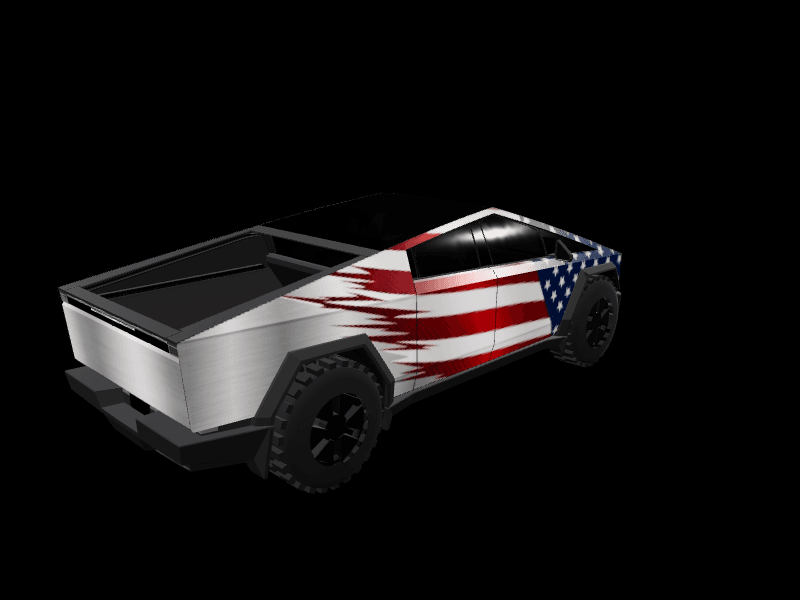
Cybertruck's stock body is brushed stainless steel. The factory finish reflects the world around it like a low-resolution mirror. Any wrap you apply hides that, which is most of why people wrap a Cybertruck in the first place.
What works:
- Solid bold colors (the flat panels carry them well)
- High-contrast geometric patterns (the flat panels are giant canvases for shapes)
- Camouflage and military-inspired patterns (the boxy shape supports the aesthetic)
- Anything that leans into the truck's planar geometry rather than fighting it
What doesn't:
- Gradients with subtle transitions (the flat planes show every banding artifact)
- Photo-realistic textures (no curves to forgive the seams)
- Pastels and muted colors (the body's bulk demands stronger contrast)
The Cybertruck template is 1024x768, which is wider relative to height than the other vehicles. Plan your design around that aspect ratio. Long horizontal elements work; tall vertical ones get cropped.
If you're wrapping a Cybertruck, look at the gallery for that specific vehicle. The pattern of what works is consistent.
Model 3 specifics
The Pre-2024 Original and the Highland have different proportions. The Pre-2024 has more chrome trim and rounder fender flares. The Highland is sharper, with a smoother front fascia.
For both, the rear quarter panels and the trunk lid take up about a third of the visible surface area. Whatever you put there is going to be most of what people see when the car is parked. A bold logo or strong color block on the rear works well. A subtle pattern gets lost.
For the Highland specifically: the body line that runs from the front fender through the door handle to the rear taillight is pronounced enough that it visually divides the side into upper and lower regions. Two-tone designs that split along that line look intentional. Two-tone designs that try to straddle it look accidental.
The Highland Performance has slightly different trim pieces. Most wraps look the same on Performance and Base, but if your design uses very thin stripes near the front bumper, they may shift by a few pixels.
Model Y specifics
The Model Y is tall, especially the 2025 Juniper refresh. The greenhouse (the windowed area) is bigger relative to the body than on a Model 3. That means the wrappable area is proportionally smaller and more concentrated on the lower half.
Dark colors make the Model Y look like a fridge from 30 feet away. Lighter colors with a darker accent (think a champagne body with a black roof, even though you can't actually wrap the roof) read better. The visual weight wants to be lower than the geometric center.
The L variant (longer wheelbase) gives you more door space. Designs with horizontal continuity across the doors work especially well on the L. On the standard Model Y, the same design can feel cramped.
The Juniper 2025 variants share a body with each other. AWD, Premium, and Performance use the same wrap area. Your design ports between them.
Reference the Tesla paint palette when in doubt
If you're paralyzed by infinite color choice, start with Tesla's factory palette: Pearl White, Solid Black, Midnight Silver Metallic, Deep Blue Metallic, Ultra Red, Stealth Grey. These colors look right on Teslas because Tesla designed the cars expecting them.
Pulling one of these colors as your base and then layering a single accent works almost every time. It's a safe move, not a bold one. Bold moves are for your second design.
There's a full colors and gradients tutorial if you want to go deeper. For the rest of this guide we're stopping at "use the factory colors as a foundation".
The in-car display lies a little
Tesla's renderer applies its own lighting to the 3D model of your car. The lighting in the in-car display is brighter and more diffuse than the lighting in the FrunkLab studio's 3D preview. The same wrap looks lighter and slightly washed out on the car's actual touchscreen compared to how it looked when you designed it.
If your design is dramatic in the studio, expect it to be a notch less dramatic in the car. If your design is subtle in the studio, expect it to be almost invisible in the car. Push contrast a little harder than you think you need.
The mobile app uses Tesla's renderer too, so it agrees with the in-car display. The studio's 3D preview is the outlier, not the truth.
Quick recommendations by vehicle
- Cybertruck: Olive green, military tan, matte black, deep maroon. Bold geometric patterns.
- Highland Model 3: Midnight blue, deep forest green, gunmetal grey, satin black with a single accent color.
- Pre-2024 Model 3: Same palette as Highland, but pull saturation slightly lower. The older body lines benefit from softness.
- Model Y (any): Lighter neutrals (champagne, pearl, light grey) with darker accents work better than full dark wraps.
- Model Y L: Take advantage of the door width. Horizontal stripes, body-length text, panoramic gradients.
- Model S (2021, 2025 Plaid): The long hood rewards a single confident color with one accent line. Preview it in 3D; the fastback rear reads very differently from the template.
- Model X 2021: Keep door-area art simple; the falcon-wing seams cut through anything detailed placed there. The 3D preview shows you exactly where those seams land.
Every palette in this guide shows up in the free Tesla Model Y wraps and Tesla Model 3 wraps, so you can see it on your exact car.
Frequently asked questions
Can I see a matte or satin finish before I wrap my Tesla? Not on a screen. Paint Shop and the FrunkLab 3D preview draw every wrap with the same soft sheen, so matte shows up looking like satin. Use the digital wrap to settle the color and the design for free, then look at physical swatches of matte and satin film outdoors to choose the finish.
Can I still buy Tesla's Satin Stealth Black wrap? No. It was one of seven colored paint protection film wraps Tesla sold from October 2023. Tesla switched to vinyl in late 2024 and pulled its wrap listings in August 2026, so a satin black Tesla now comes from an independent shop.
Why does my wrap look lighter on the car's screen than in the studio? The car's renderer lights the model brighter and more evenly than the studio's 3D preview, so the same wrap looks a little washed out. Push contrast slightly harder than you think you need.
A lot of this is opinion. Build your own opinion by sketching three versions of a design in different palettes and comparing. Pick a vehicle and start a draft in the studio.
Put a custom wrap on your Tesla
Free community designs for every model, or make your own in the browser.