Summer Update 2026.26 is hitting cars now, and it makes every Tesla more yours
Tesla's 2026.26 Summer Update is reaching the fleet with a redesigned Caraoke that keeps score, video calls from the driver's seat, Grok vehicle commands, warp-effect entry animations, and new traction modes.

When Tesla announced the Summer Update on July 21, we spent most of that post on one line: custom wraps now upload from the mobile app. Fair. But the update carrying that feature is a heavyweight in its own right, and it's now landing on real cars. The rollout began quietly on July 26, and per Tesla Oracle's August 4 rollout tracker, version 2026.26 and its quick 2026.26.1 follow-up build have reached roughly 15 to 20% of the fleet, with new waves going out daily.
If your car hasn't buzzed yet, it's close. Here's what's waiting when it does.
Caraoke became an actual game
The old Caraoke was a lyrics teleprompter. The new one keeps score. Per Tesla's official 2026.26 release notes archived by Not a Tesla App, the redesigned app draws lyric timing bars and pitch indicators while calculating a live score, a note streak, and an accuracy percentage. High scores earn stars and save to your Tesla profile, so the family leaderboard survives between drives.
The best detail is the queue. Tap the queue button and the screen shows a QR code. Rear passengers scan it with their phones and add songs directly, no console-passing required. Scoring runs while parked, which is where the real Caraoke battles were always happening anyway.
The screen takes video calls now
2026.26 opens the cabin camera and microphone to the web browser, which turns the center display into a video-call screen for Google Meet, Microsoft Teams, and Discord while you're parked. The car asks permission before the camera goes live, then crops and centers you in frame automatically. Not a Tesla App's model-by-model breakdown from July 30 notes that browser video calls need the AMD-powered infotainment hardware found in newer cars, so check your build before promising your boss a call from the Supercharger.
Because yes, that's the use case. Twenty minutes on a charging stop is now a place you can take the 2pm stand-up. We're not saying you should. We're saying you can.
Grok gets hands
Grok could already answer questions. Now it acts. The assistant places phone calls, searches and plays music, adjusts climate, and searches the Controls panel by voice, so "warm up the back seats" just works without a menu dive. Voice control that touches the actual car, not just the trivia layer, is the difference between a party trick and a daily feature.
Your car greets you in Ludicrous style
Open the door of a 2024+ Model 3 or a Juniper-generation Model Y and the display now plays an entry animation. Base and Premium cars show a glowing TESLA wordmark tinted to match your ambient lighting color. Performance trims get what Not a Tesla App describes as "a Ludicrous speed warp animation," star lines streaking past like a jump to light speed. It serves no function whatsoever, and owners are going to love it.
Grip, cameras, and remote control
The practical column is just as long:
- Three traction modes in the Dynamics menu: Auto for normal roads, Slippery Surface for ice and rain, and Stuck Assist for snow, mud, and sand. The 2024+ Model 3 gets these first in this release.
- Camera preview while driving. The full camera view now opens at any time, not just in Park, on both Intel and AMD cars worldwide.
- Arrival energy from your phone. Set the battery percentage you want to arrive with on any trip, straight from the mobile app.
- Rear display lock. Front-seat passengers can lock the rear touchscreen through the Rear app, ending the era of toddlers cranking the climate to 82.
- Smaller wins. Add songs to the Apple Music queue straight from search, and find a specific Supercharger by name.
Personalization is the whole point
Step back and there's one thread running through all of it. Your Caraoke high scores live on your profile. The entry animation matches your lighting color. Grok controls your settings by voice. Navigation already learns your routes and your favorite way home. Update by update, Tesla keeps tuning the software around one specific person: you.
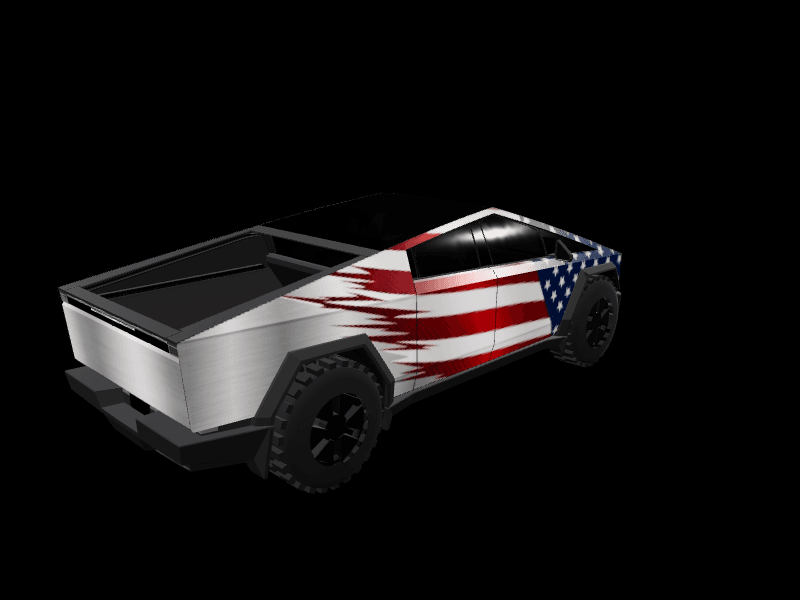
That's exactly why digital wraps are having a moment. The same update wave carries the mobile-app wrap upload, and the way your car looks on that screen is the most personal setting of all. It's also the one Tesla lets you design from scratch. If you're new to it, our guide on how to get a custom Tesla wrap covers the whole flow from blank template to your car wearing the finished design. Work in the studio on a big monitor, or open the Garage and paint directly on the 3D car while it sits in a virtual showroom.
Your car is about to learn your voice, your lighting, and your high score in "Mr. Brightside." While the download makes its way to your driveway, open the studio and finish the personalization job with a wrap that's yours alone.
Put a custom wrap on your Tesla
Free community designs for every model, or make your own in the browser.