Tesla Halloween Mode arrives in update 2026.38.3: four Paint Shop wraps, a new lock sound and Trick or Treat
Tesla's Halloween Mode started rolling out on October 6 in software update 2026.38.3, with four Halloween wraps in Paint Shop, a new lock sound, a scary Boombox voice, Ghost Costume, Trick or Treat, a Fright Show and a Photobooth. Here is what is in it and who gets it.
 By Max Calder, News editor6 min read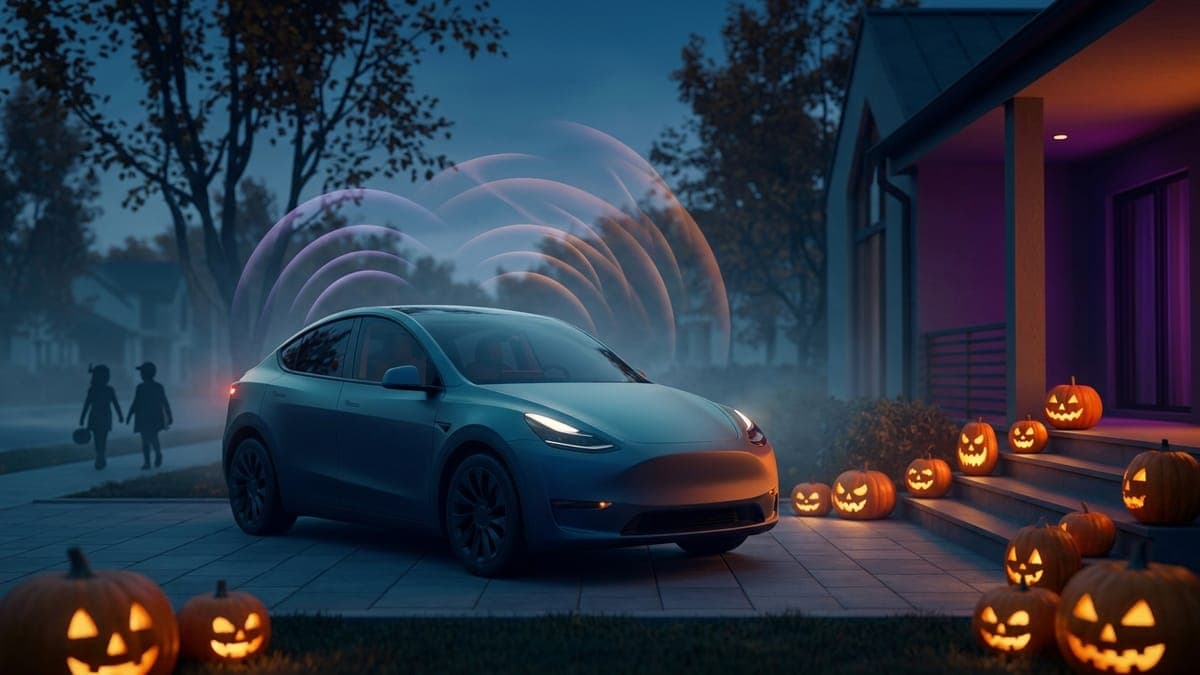
What this means for your wrap or lock chime: Halloween Mode adds four Halloween wraps to Paint Shop and a new Halloween lock sound. Your own wraps still work alongside Tesla's four: Paint Shop holds up to 10 wraps from the Tesla app plus 10 from a USB drive, and any car on 2026.38.3 can already upload a wrap from the Tesla app with app 4.59.1 or newer. Prefer your own spooky sound? A custom
LockChime.wavstill works: pick USB in Toybox > Boombox > Lock Sound instead of Tesla's new one.
Tesla's Halloween Mode started rolling out on October 6, 2026, in software update 2026.38.3. Tesla's release note opens with "Spread holiday fear year round with Halloween Mode," per Not a Tesla App's 2026.38.3 release notes. Tesla's post on X, quoted by Teslarati, says it "turns your Tesla into a haunted house on wheels," with "neighborhood notoriety" as a side effect.
Halloween Mode lives in Toybox next to Santa Mode, so you can turn it on any day of the year. It has two toggles, Ghost Costume and Trick or Treat, per Not a Tesla App's October 7 walkthrough.
Four Halloween wraps in Paint Shop
Tesla added four Halloween wraps to Paint Shop, which Not a Tesla App's walkthrough describes as:
- an orange pumpkin finish with carved faces, a stem on the hood, bats and cobwebs
- a black base covered in white ghosts and bats
- a candy-covered "Trick or Treat" design with jack-o'-lanterns
- a dark textured finish with red streaks
Wraps are picked in Toybox > Paint Shop > Wraps, so that's where to look, though the early reports don't spell out the menu. Want something else? Our Tesla Halloween wrap ideas guide covers palettes and motifs that read well on the car, and the gallery has free Model Y Halloween wraps and Model 3 Halloween wraps ready for Paint Shop.
A new lock sound, and an owl in the turn signals
Halloween Mode also adds a new Halloween lock sound, "available under Boombox's Lock Sound menu" in Not a Tesla App's words. That is Toybox > Boombox > Lock Sound. Turn signals also get an owl hoot layered over the usual click.
Tesla's new sound is a fun pick. To use your own, our Halloween Tesla lock sounds guide lists free spooky alternatives, and the Tesla lock chime generator makes one from a short description. Copy LockChime.wav to the top level of a USB drive, then open Toybox > Boombox, turn on Lock Sound and choose USB. Our Tesla Boombox guide has the details.
Boombox gets a scary voice
Speak through Boombox in the Tesla app and the car repeats your words "in a new scary voice instead of the usual robotic one," per Not a Tesla App. Tesla's own post, quoted by Teslarati, says the car will say it "in a voice of its own."
Ghost Costume
Ghost Costume "drapes a glowing white sheet with eye holes" over your car's on-screen avatar. Parked, the screen shows a graveyard with a full moon, a haunted house, withered trees, jack-o'-lanterns and a zombie hand. While you drive, the sheet ripples, other cars glow green, pedestrians become skeletons, traffic lights turn into pumpkins and lane markers turn purple, per Not a Tesla App.
Trick or Treat
Trick or Treat plays spooky sounds through the exterior speaker and flickers the interior and exterior lights when visitors walk up to the parked car. It keeps the cameras awake, uses extra energy, and turns off when you shift out of Park or enter Low Power Mode. Good to know before porch duty: Sentry Mode, the security alarm and walk-away lock are disabled while the toggle is on, per the same walkthrough.
Fright Show and Photobooth
Tesla's note invites you to "schedule a haunting light show," which Not a Tesla App says is "aptly called a Fright Show." In the video it shared, a Model 3 flickers its exterior lights, opens and closes its trunk and cycles its cabin lighting to the music. The more Teslas join in, the better it looks.
Photobooth frames your shots as Polaroid-style prints captioned "Happy Halloween" and "Trick or Treat," with new spooky stickers to add.
Which cars get it
Drive Tesla lists Model S, Model 3, Model X, Model Y and Cybertruck, with the full experience on AMD Ryzen infotainment. Reports on Intel cars differ. Not a Tesla App says they should get the wraps and the lock sound but not the parked scene or Photobooth extras, while Drive Tesla's Intel list is longer: Ghost Costume, Trick or Treat, the light show, wraps, Photobooth and the app voice. Both agree on the wraps.
The rest of 2026.38.3
- Emergency Drive Away lets you shift into Drive with a Supercharger cable still connected. Emergencies only: Tesla warns that "driving away with the cable attached will damage your vehicle and the Supercharger, and you may be responsible for repair costs."
- Set Arrival Energy from your phone, in the app's location tab. It needs Tesla app 4.58.0 or later.
- Powershare for new Model 3 and Model Y, reported by Not a Tesla App as home backup and by Drive Tesla as an expansion that adds V2L.
- The 2026.38 features carry over: headlight leveling, Supercharger site maps and sharper car visuals, covered in our 2026.38 update post.
FSD cars get it later
Cars on FSD are on a separate branch, 2026.33.5 with FSD v14.3.11, which doesn't include Halloween Mode yet. Not a Tesla App expects it "within the next couple of weeks," ahead of October 31. To an owner who was thinking of cancelling FSD to get it sooner, Tesla AI team member Kalena Brown replied "No need."
Outside FSD, the rollout has only just begun. As of October 7, Not a Tesla App's tracker showed 49 cars, 0.4% of its tracked fleet, on 2026.38.3, so most owners will see it over the coming days and weeks.
FAQ
How do I turn on Tesla Halloween Mode? Once update 2026.38.3 installs, open Toybox, choose Halloween Mode and switch on Ghost Costume, Trick or Treat or both. Look for the new wraps in Toybox > Paint Shop > Wraps and the lock sound in Toybox > Boombox > Lock Sound.
Which Teslas get Halloween Mode? Model S, Model 3, Model X, Model Y and Cybertruck, per Drive Tesla. The full experience needs AMD Ryzen infotainment. Intel cars get at least the wraps, and Not a Tesla App expects the lock sound too.
Can I use my own Halloween wrap with Halloween Mode? Yes. Paint Shop still holds your own wraps, up to 10 from the Tesla app plus 10 from a USB drive. A custom wrap must be a PNG under 1 MB at your model's template size, which every FrunkLab studio download already is.
When do FSD cars get Halloween Mode? On October 7, Not a Tesla App said to expect it within a couple of weeks, before Halloween. No need to cancel FSD to get it.
Want a Halloween look nobody else on the street has? Design your own wrap in the studio and load it next to Tesla's four.
Find your Tesla lock sound
Free lock chimes that download already named LockChime.wav, or describe your own and let the AI make it.