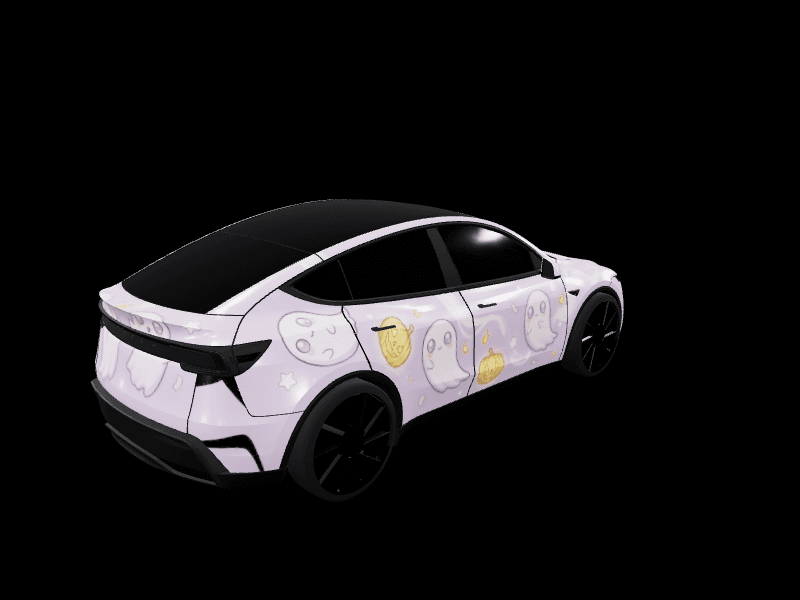
What's new on FrunkLab this fall: one-click wraps, lock sound reels and faster gallery reviews
September was the busiest month FrunkLab has had. Most of it went into one idea: fewer steps between seeing a wrap you like and having it on your Tesla's screen. Here's what changed, in the order you'll notice it.
Try a community wrap on your car with one click
The studio and the Garage now open with a wheel of community wraps made for your car. Click one and it lands on your car, ready to edit.
Keep it exactly as it is and Save sends you to its gallery page to download it, so its creator keeps the credit. Change anything, even one color, and it saves as your own remix with a "Remixed from" link back to the original. The creator gets a notification when that happens.
Reels that play your lock sound
Download Reel makes a 6-second video of your wrap spinning on the 3D car, sized for X and Instagram. If your wrap has a lock sound attached, the reel now plays it. A small card in the corner names the sound, with a wave that moves in time with it. The camera also sits closer, so the car fills a phone screen.
Attach a sound from the lock sounds library, or make one with the AI lock chime generator.
Gallery submissions reviewed in seconds
Submitting a design to the gallery used to mean waiting for a person to look at it. Most designs now go live within a few seconds. If one isn't approved, the design page tells you exactly why, and one tap asks a person on our team to take a second look.
New scenes, and your wrap shown in them
The Garage has new places to park:
- Campsite: a moonlit clearing in the pines, with a tent and a small campfire that stays out of the way of your wrap.
- Showroom dark mode: the Showroom now flips between a bright white studio and a black one with a single spotlight.
- Cyber Garage honeycomb: a framed honeycomb of LED tubes overhead, reflected in your paint.
Your published wrap can now sit in the scene you choose on its gallery page and your creator page. Pick it from the wrap page or the Design Hub. New to the Garage? A short welcome tour now shows you around the first time you open it.
Free AI wraps for posting to the gallery
Getting your first design into the community gallery earns 2 free AI wraps. The Gallery series keeps going from there:
- 3 approved wraps: 2 more
- 5 approved wraps: 3 more
- 10 approved wraps: 5 more
- 25 approved wraps: 10 more
- 50 approved wraps: 20 more
Your progress is on the achievements page. When your free monthly AI wraps run out, the generator now tells you when the next ones arrive and points to the free ways to earn more.
Smaller things you might notice
- Likes without an account. Tap the heart while signed out, sign up with Google or email, and you land back on the same wrap with the like already added.
- A faster home page. The spinning 3D car on the home page and the gallery shows up in about half the time on a first visit.
- More free designs for the Model 3 and Model Y. Every version of both cars got new collections, from satin stealth black to pearl white and gold. There are new guides for the original 2017 to 2023 Model 3 and the original 2020 to 2024 Model Y.
- Better AI names. Designs you make with AI now get titles and descriptions that say what the wrap looks like, which helps people find them in the gallery.
The full list, with dates, is on the changelog.
Pick a community wrap and put it on your car in the studio.
Put a custom wrap on your Model Y
Community designs, free to grab — or make your own in the browser.