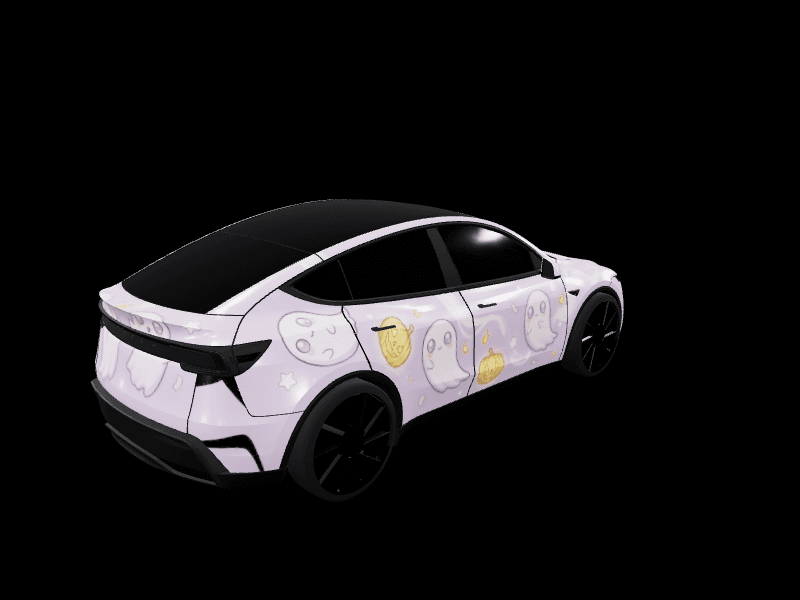
Tesla Model Y wraps for the 2020 to 2024 Model Y: free Paint Shop designs
The original Model Y, built from 2020 to 2024, is the Tesla you see most on the road, and it has its own Paint Shop template. The 2025 Juniper refresh changed the front and rear, so a Juniper wrap won't line up on an older car. If your Model Y is a 2024 or older, you need a wrap built for the original.
This guide covers how to tell which Model Y you have, the designs that suit the original's shape, and free wraps made for it.
How to tell an original Model Y from a Juniper
Look at the front of the car:
- Original Model Y (2020 to 2024): two separate headlights, much like a Model 3's, and a rounded nose.
- Model Y Juniper (2025+): a thin light bar running across the whole front, with the main headlights set low in the bumper. The rear has a matching light bar too.
The model year settles it if you'd rather not walk outside. In the studio the original is listed as Model Y Pre-2025 (Original).
Why the original Model Y needs its own wrap file
Paint Shop paints the 3D car on your screen from one flat image, and every panel has a fixed place on it. Juniper moved the places at the nose and tail, so a Juniper wrap on an original car usually looks right along the doors and wrong at the bumpers.
Every design below was generated on the original Model Y template. There's one panel worth knowing about: on the original template the hood is its own rounded shape just above the windshield, and it's bodywork, not glass. Our designs paint it, and if you make your own, check that yours does too.
Designs that suit the original Model Y
The Model Y is tall with a big rear hatch, so designs with strong horizontal lines keep it from looking bulky. Solid finishes and two-tones are the safest bets.
Midnight teal two-tone
The newest design for the original Model Y: deep gloss teal on every panel, a satin black roof line and a thin copper pinstripe along each side. The dark roof line makes the tall body look lower. Get Midnight Teal Two-Tone for the original Model Y.
Liquid chrome
Mirror silver is the single most downloaded Model Y wrap in the gallery. The curved rear hatch catches the light best. Get Liquid Chrome for the Model Y.
Satin stealth black
Satin black with one hairline gunmetal pinstripe is the clean, blacked-out look. Try Satin Stealth Black.
Racing stripes
Long stripes from the nose over the roof to the hatch make the Model Y look longer. Silver Racing Heritage is satin silver with black stripes, Street Racer is matte silver with electric blue lines, and Carbon Fiber Performance is woven carbon with thin red lines.
Camo
The Model Y's tall sides give camo room to work. Urban Digital Camo is charcoal and white pixels, and Autumn Camo is the woodland version.
Synthwave and luxury
For something brighter, Neon Synthwave Sunset runs a sunset gradient up the doors. For something quieter, Pearl White and Gold is glossy white with brushed gold lines.
The full set, original and Juniper, is on the Tesla Model Y wraps page. The matte, camo and racing collections have the most designs.
Making your own original Model Y wrap
Open the studio, pick Model Y Pre-2025 (Original), and the template loads with its outline in place. Three tips:
- Paint the hood. It's the rounded panel above the black roof glass on the template. Leave it black and your car shows a dark hood on screen.
- Use the hatch. The rear hatch is one of the biggest flat areas on any Tesla template, so it's the best spot for a single large graphic.
- Start AI prompts with "every panel painted". It keeps the generator from leaving a door or pillar blank. The prompt tutorial has more phrasing that works.
Spin the design on the 3D car before you download. The preview uses the original Model Y's own model, so it shows exactly what your screen will.
Putting the wrap on your Model Y
Download the PNG, then in the Tesla app go to Creations > Wrap > Upload and pick the file. You need Tesla app 4.59.0 or newer and car software 2026.26 or newer. On older software, copy the PNG into a folder named Wraps on a USB drive and open Toybox > Paint Shop > Wraps in the car. The phone upload guide covers both.
Driving a 2025 or newer car? See the Model Y Juniper wraps guide. For more style ideas across every Model Y, read Model Y wrap ideas.
Find a design in the gallery, or open the studio and make one for your Model Y.
Frequently asked questions
Which Model Y years use the original wrap template? The original Model Y template covers cars built from 2020 to 2024. The 2025 and newer Model Y Juniper uses a different template.
Can I use a Juniper wrap on a 2022 Model Y? Not reliably. The Juniper's front and rear changed shape, so a Juniper wrap lines up on the doors but misses at the bumpers of an original Model Y. Use a wrap made on the original template.
Why is the hood black on my Model Y wrap? On the original Model Y template the hood is a rounded panel sitting just above the black glass area, and some designs leave it unpainted by mistake. Pick a design that paints it, or paint it yourself in the studio.
What size is a Model Y wrap file? A Model Y wrap is a PNG between 512 by 512 and 1024 by 1024 pixels, under 1 MB, with a filename of up to 30 letters, numbers, spaces, underscores or dashes.
Are these Model Y wraps free? Yes. Every design in this guide is free to download, and you can open any of them in the studio to change the colors.
Put a custom wrap on your Model Y
Community designs, free to grab — or make your own in the browser.