Tesla camo wrap ideas: woodland, digital, urban and arctic for every model
Camo is the one pattern that suits every Tesla, from a Cybertruck in woodland green to a Model Y in arctic splinter. The camo wraps worth downloading as free Paint Shop PNGs, which model each suits, and prompts for making your own.
 By Sienna Park, Design editor7 min read
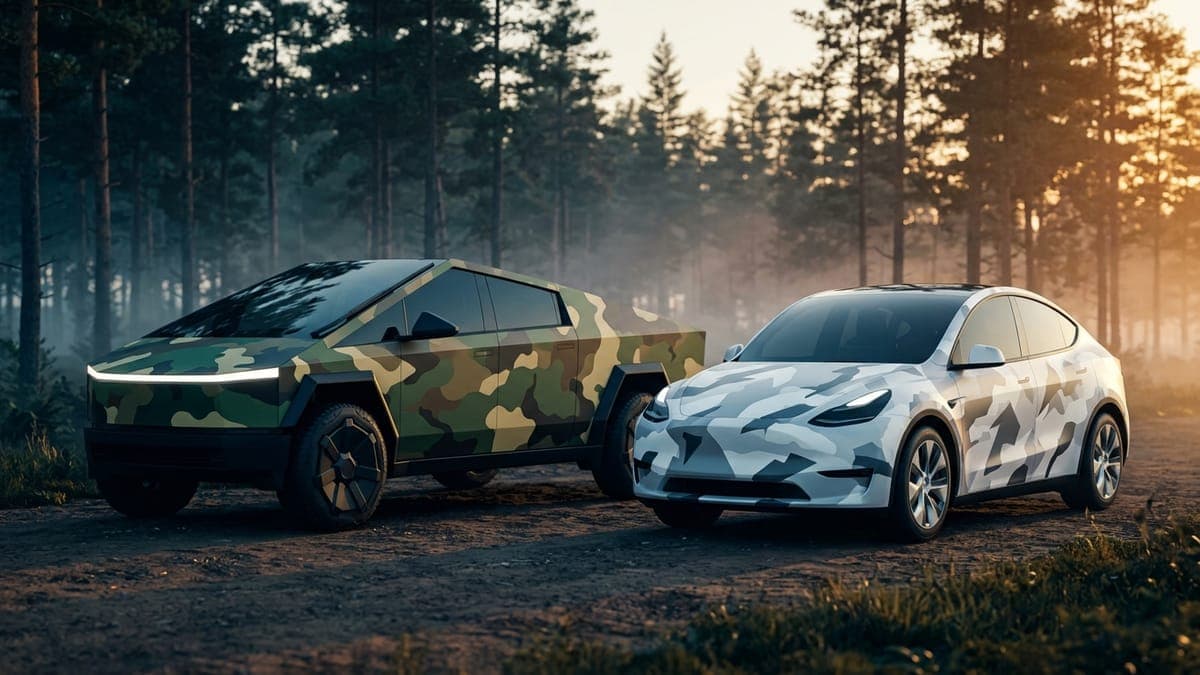
Quick answer: Camo works on a Tesla when the patches are big and the palette is small: three or four colors, shapes at least the size of a door handle. Woodland and digital camo suit the Cybertruck's flat panels, splinter and urban grey suit the Model Y, and pixel camo sits cleanly on the Model 3. Every design below is a free Paint Shop PNG.
Picture a Cybertruck on the screen in olive, tan and bark brown, the patches running straight across those flat doors without a single curve to bend them. It looks less like a costume and more like the truck came that way.
That's why camo is the most forgiving pattern in the gallery. It has no top or bottom, no face to land on the wrong panel, and no straight line to break at a door gap. Here are the camo wraps worth putting on your car, by pattern, with the model each one suits.
Woodland camo: the Cybertruck's home turf
Classic woodland is patches of forest green, olive, brown and black, rounded in the old pattern and cut into angles in newer ones. On a curvy car it can look busy. On the Cybertruck it looks issued.
- Tactical Woodland Camo: overlapping organic shapes in forest green and olive. The one to start with.
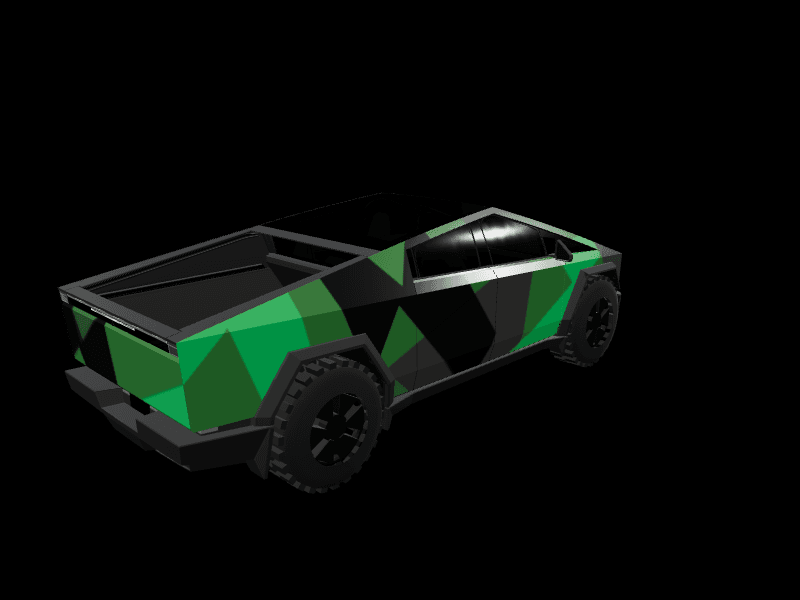
- Green Geometric Camo Pattern: the same palette cut into hard angles, which echoes the truck's own creases.
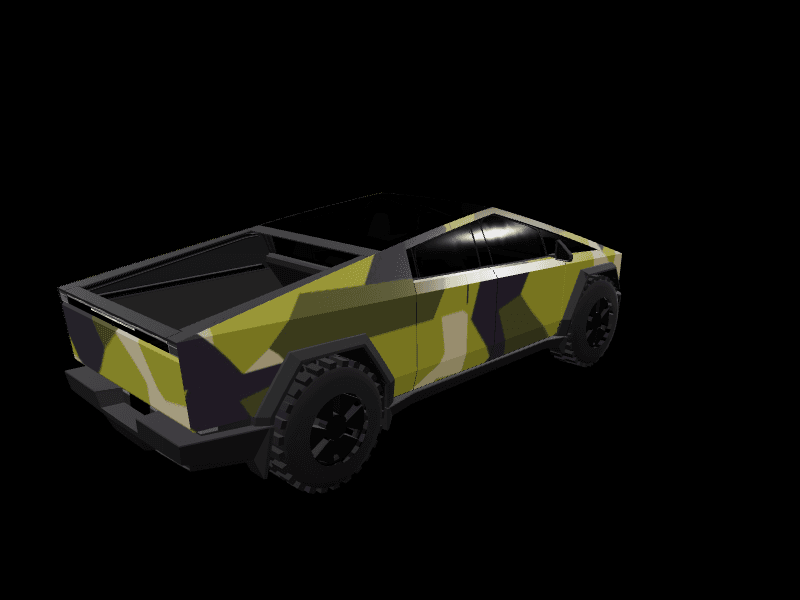
- Swedish M90 Camo Military: olive, tan and a surprising dark purple in sharp angular shapes.
- Classic Army Camo on the Model X: green and tan with a matte finish, for the SUV that wants to look like it tows something.
- Military Camo Fighter Jet on the Model Y: green camo with vintage nose art and white stars.
Best on: the Cybertruck. Every one of its panels is flat, so the pattern stays the same size from the front fender to the tailgate. The Cybertruck camo wraps page has all 16.
Digital and pixel camo
Digital camo swaps the blobs for small squares. It reads as modern rather than military, and it's the camo that looks best at the size Paint Shop draws your car.
- Urban Digital Camo: charcoal, slate, silver and white pixels with a matte finish. Made for the 2017-2023 Model 3, Model 3 Highland, the 2020-2024 Model Y and Model Y Juniper. It's the most downloaded camo in the gallery.
- Digital Combat Camo on the Cybertruck: olive, sage and tan pixels.
- Cyan Glitch Pixel Camo on the Model Y: pixel camo that breaks into cyan and orange glitches, for when you want camo that refuses to hide.
- Digital Glitch Camo on the Model Y: slate and cool grey blocks on white.
Best on: the Model 3. Its low, smooth sides give the pixels a clean field with nothing to distort them. See every Model 3 camo wrap.
Urban grey and stealth camo
Mute the colors and camo becomes a city pattern. Greys, charcoals and dull olives are also the easiest camo to live with, because they sit well next to Tesla's dark screen theme.
- Urban Grey Camo Pattern: matte grey and charcoal on the Cybertruck.
- Tactical Matte Camo Geometry: charcoal and slate in geometric patches on the 2020-2024 Model Y.
- Urban Camo Skyline: blue, grey and olive camo with a city skyline worked into the pattern, on the Model Y.
- Tactical Carbon Commando: matte olive with woven carbon panels, half camo and half armor.
Best on: the Model Y. The tall doors need a pattern to break them up, and grey camo makes the car look lower. If you want it darker still, the stealth wraps for Model Y go all the way to black.
Arctic and splinter camo
Splinter camo is long, sharp shards instead of patches. In white, bone and charcoal it's an arctic pattern, and it's the camo to wear from now until March.
- Arctic Splinter Storm on the Model Y: charcoal and bone white shards with electric cyan lightning between them. The cyan is what keeps it from looking like a plain grey car on the screen.
- Blue Trident Camo on the Model S Plaid: blue and white camo with a gold trident on the hood and doors.
Pair one with the looks in our Tesla winter wrap ideas and you have a cold-weather rotation.
Camo that isn't military at all
Camo is a pattern, not a uniform. Change the colors and it turns into something else.
- Autumn Camo: burnt orange, rust, olive and bark brown in soft-edged patches. Made for the Model Y, Model Y Juniper, Model 3, Model 3 Highland, Cybertruck, Model S Plaid and Model X.
- Blush Camo Drift: hot pink, blush, rose gold and cream on the Model Y.
- Purple Lime Camo Matte: purple, lime and black, loud on purpose.
Best on: any of them. The Model Y camo wraps page has 26 to pick from.
What makes camo read well on the car
Paint Shop draws your wrap on a small 3D model on the touchscreen and in the Tesla app. Camo has one way to fail at that size: it blurs into a single muddy color.
- Three or four colors, no more. Five similar greens turn into one green. Pick tones that are clearly apart in brightness.
- Go big on the patches. A patch should be at least the size of a door handle. Tiny speckle disappears.
- Add one accent. A thin line of cyan, orange or white between patches keeps the pattern alive. Arctic Splinter Storm is the proof.
- Let it run over every panel. Camo hides door gaps for free, but only if the fenders and rear quarters are painted too. Spin the car in the 3D preview and look for a blank panel before you save. The 3D preview tutorial shows what to check.
- Mind the Cybertruck template. It's 1024x768, wider than the square 1024x1024 template the other models use, so a camo made for a Model Y will stretch. Start from a Cybertruck design. Our Cybertruck design tutorial covers the panel layout.
The wrap color guide goes deeper on which colors hold up on each model.
Make your own camo wrap
Describe the pattern, the colors and the size of the patches. These work well in the AI Tesla wrap generator or the prompt box in the studio:
Woodland camouflage on every panel including the fenders and rear quarters, large rounded patches of forest green, olive, bark brown and black, matte finish, no text.
Arctic splinter camouflage on every panel, long sharp shards of bone white, pale grey and charcoal, thin electric blue lines between the shards, matte finish, no text.
Digital pixel camouflage on every panel, blocks of charcoal, slate grey and silver, a few bright orange pixels scattered along the doors, matte finish, no text.
Say "every panel" first so no door comes back blank, and name the patch size if the first result is too fine. The AI wrap prompts tutorial covers how to build a prompt from subject, texture, palette and style. A free account includes 2 AI wraps a month to try it with; pricing has the token packs if you want more.
Digital camo versus a vinyl camo wrap
Everything here is a digital wrap: it changes how your car looks on its own touchscreen and in the Tesla app, not the paint. That makes it a free way to try camo before paying an installer for printed vinyl, and the same PNG is a clear reference to hand them. Our guide to digital versus vinyl wraps lays out the difference.
Frequently asked questions
Which Tesla looks best in a camo wrap? The Cybertruck. Its panels are flat, so the pattern keeps its size and shape across the whole truck. The Model Y is second, because camo breaks up its tall doors.
Can I get a camo wrap for a Cybertruck in Paint Shop? Yes. The gallery has 16 Cybertruck camo wraps sized to the truck's 1024x768 template, including woodland, digital, urban grey and autumn patterns. Each is a free PNG.
How do I put a camo wrap on my Tesla? Download the PNG from the gallery, upload it in the Tesla app under Creations > Wrap > Upload, then pick it on the car in Toybox > Paint Shop > Wraps. The app route needs car software 2026.26 or newer and app 4.59.1 or newer. A USB drive works too.
Does a camo wrap change my real paint? No. A Paint Shop wrap is digital. It shows on the car's touchscreen and in the Tesla app, and the car's actual paint stays as it is.
Are these camo wraps free? Yes. Every design in the gallery is a free download, already sized to Tesla's template for its model.
Open the studio, pick your car and start with three colors: camo does the rest.
Put a custom wrap on your Cybertruck
Community designs, free to download, or make your own in the browser.