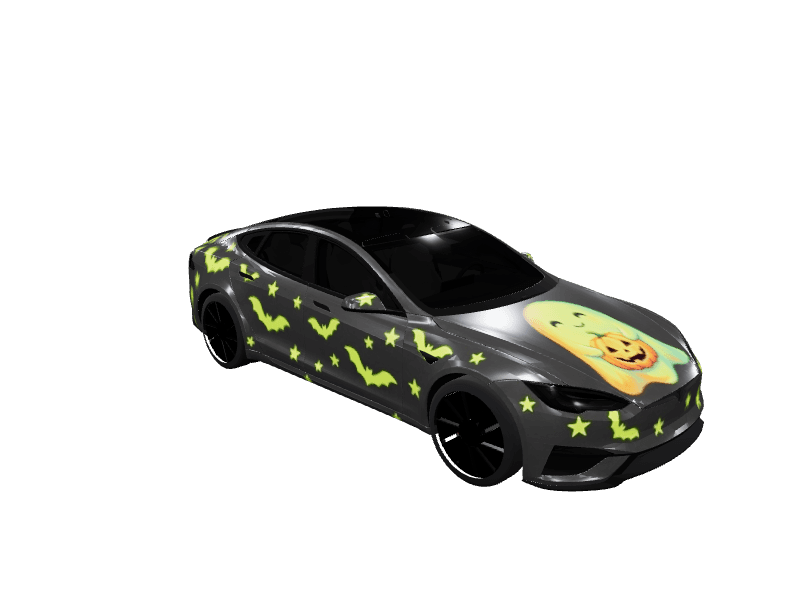
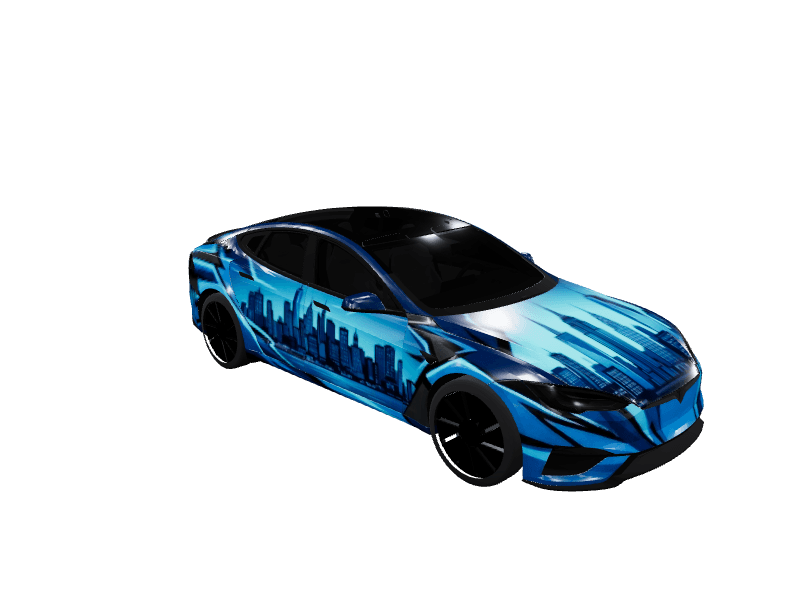
Tesla winter wrap ideas: snow, ice and northern lights for December to February
A winter wrap outlasts a Christmas one by two months. Icicles on midnight blue, pearl white with pale snowflakes, northern lights over a frozen sky, and pastel frost, as free Paint Shop PNGs for every Tesla, plus prompts for your own.
 By Sienna Park, Design editor6 min read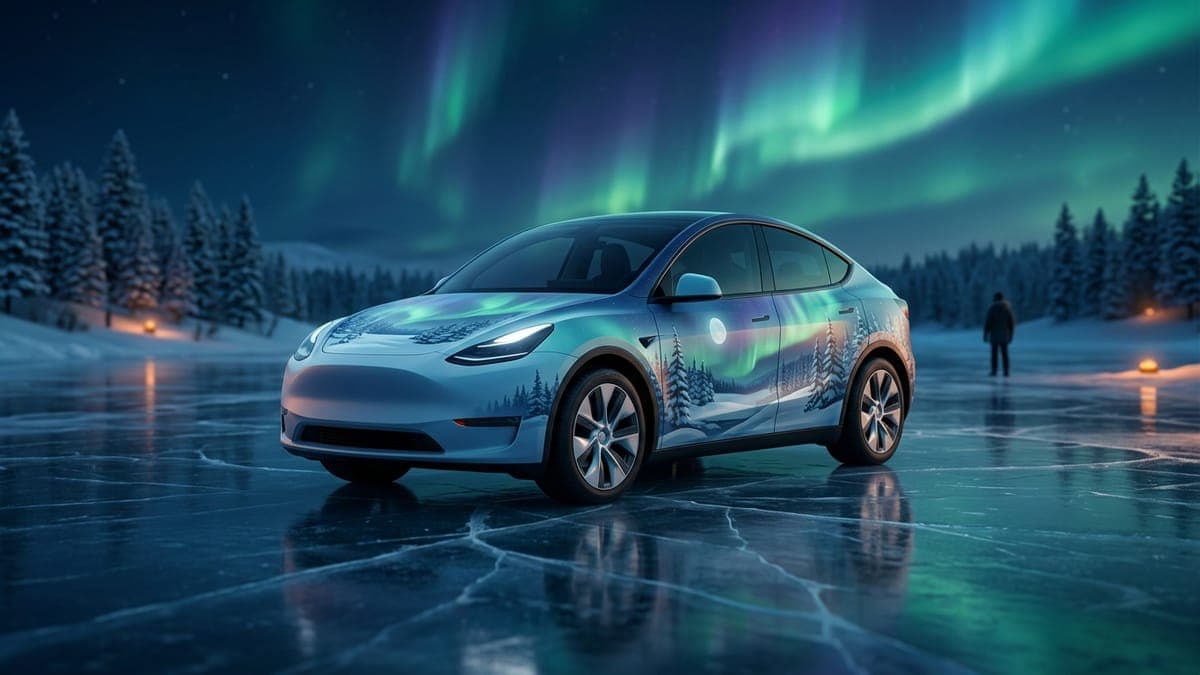
Quick answer: The winter wraps that look best on a Tesla's screen pair one cold base color (midnight blue, pearl white or deep navy) with one clear motif: icicles along the window line, scattered snowflakes, or northern lights across the doors. Unlike a Christmas wrap, a winter look still feels right in February. Every design below is a free Paint Shop PNG.
Picture the car on the screen in January: midnight blue fading to periwinkle, icicles hanging from the window line as if it spent the night outside, a scatter of silver snowflakes on the rear doors. No ornaments, no reindeer on the bumper. Just cold, and it stays right until the snow melts.
That's the case for a winter wrap. A Christmas design has a hard stop on December 26. A winter one gets you three months. Here are the ones in the gallery worth putting on your car, which model each suits best, and how to make your own.
Icicles on midnight blue
The Winter set is a satin midnight blue body with a periwinkle gradient, white snowflakes and crystal icicles dripping from the upper panels. It's the most "outside at night" look in the gallery, and the icicles do something clever: they mark the window line, so the car's shape reads even at the size Paint Shop draws it.
It's made for every model:
- Model Y Juniper and the 2020-2024 Model Y
- Model 3 Highland and the 2017-2023 Model 3
- Model X
- Cybertruck, where the icicles run along the flat upper panels like frost on a steel shed
Best on: the Model Y. Its tall doors give the gradient room to fade, and the icicles hang the full length of the side.
Pearl white with pale snowflakes
The Winter Bliss set flips it: a pearlescent white body with light blue snowflakes and icicles trailing toward the rear. If your car is white, this is the wrap that looks like your car after a snowstorm, only tidier.
Best on: a Model 3 Highland. The low, smooth body and the pale palette make it look carved out of ice. A word of warning: on a dark screen theme, a mostly white wrap is bright. That's the point, but you'll notice it.
Northern lights over a midnight sky
Northern Lights Sleigh Run on the Model Y Juniper is the showpiece. Green and violet aurora ribbons stretch across a midnight sky, with a sleigh and reindeer drawn as glowing constellations on the rear door. Take the sleigh out and it's pure winter sky, a version that works past December (the second prompt below does exactly that).
Best on: the Model Y Juniper, where the long rear quarter gives the constellation a place to land.
Pastel frost and sparkle
Frosted Fantasy Sparkle, a community wrap for the Model Y Juniper, goes the other way: bright aqua melting into lavender and pink, with snowflakes, ice crystals and a trail of glitter that sweeps across the doors. It's the happiest wrap on this list and the one kids will ask for.
Best on: Model Y. The colors are bright enough to stand out on the car's dark screen theme.
Snow scenes that ride the line into Christmas
Two illustrated scenes from our holiday collections are wintry first and festive second:
- Frosted Pine Forest: deer and foxes between snow-heavy pines under a silver moon. Cybertruck and Model X.
- Snowy Village Night: a lit village under falling snow. Cybertruck, Model X and Model S Plaid.
Wear them in December, and they still look fine in mid-January. For the full red-and-green treatment, the Tesla Christmas wrap ideas guide has three collections, and the Model Y Christmas wraps page collects every holiday design for that car.
What makes a winter wrap read well on the car
Paint Shop draws your wrap on a small 3D model, and winter palettes have one trap: pale on pale. A white body with white snowflakes disappears.
- Pick one cold base and one contrast. Midnight blue with white, pearl with icy blue, navy with green aurora. Two values that are far apart.
- Make the motif big. Snowflakes the size of a hubcap read; snowflakes the size of a coin turn into speckle.
- Use the window line. Icicles, a frost edge or an aurora band along the top of the doors gives the car a shape. The wrap color guide explains why contrast at that line matters.
- Paint every panel. A blank fender looks like a mistake on a pale wrap. Check the whole car in the 3D preview before you save.
Make your own winter wrap
Describe colors and placement, not a theme name. These work well in the AI Tesla wrap generator or the prompt box in the studio:
Satin midnight blue base on every panel including the fenders and rear quarters, a soft periwinkle fade toward the rockers, large white snowflakes scattered across the doors, clear crystal icicles hanging from the window line, cold crisp winter night, no text.
Deep navy night sky on every panel, wide green and violet northern lights ribbons sweeping from the hood across both doors to the rear quarters, tiny white stars, a dark pine treeline along the rocker panels, no text.
Pearl white base on every panel, pale icy blue frost creeping up from the lower edges, a few large light blue snowflakes on the hood and doors, silver sparkle, clean and quiet, no text.
Start with "every panel" so no door comes back blank. Our AI wrap prompts tutorial explains why. And if you make one you love before November 30, enter it in the Wrap Cup: any theme counts.
Pair it with a winter lock sound
A frosty look deserves a sound to match. Something short and bright, like a glassy bell or a crisp chime, fits better than a jingle once the holidays pass. Find one in the lock sounds library or describe one to the Tesla lock chime generator. Copy LockChime.wav to the top level of a USB drive, then turn on Lock Sound under Toybox > Boombox and choose USB.
Frequently asked questions
What's the difference between a winter wrap and a Christmas wrap? A Christmas wrap uses holiday symbols like ornaments, candy canes and red and green, so it looks dated after December 25. A winter wrap uses snow, ice, cold colors and night skies, so it works from December through February.
Which Tesla looks best in a winter wrap? The Model Y, because its tall doors give gradients and icicle lines room. The Model 3 Highland suits pale pearl looks, and the Cybertruck's flat panels suit bold, graphic frost.
How do I put a winter wrap on my Tesla? Download the PNG from the gallery, upload it in the Tesla app under Creations > Wrap > Upload, then pick it on the car in Toybox > Paint Shop > Wraps. The app route needs car software 2026.26 or newer and app 4.59.1 or newer.
Are these winter wraps free? Yes. Every design in the gallery is a free download, already sized to Tesla's template for its model.
Open the studio, pick your car and start with a cold base color. Winter is long; your wrap can be too.
Put a custom wrap on your Tesla
Free community designs for every model, or make your own in the browser.