Tesla Model X wrap ideas: designs for a tall SUV with Falcon Wing doors
The Model X has a short hood, a long run of glass and four big painted panels down each side, so its wrap happens on the sides. Wrap ideas that suit it, how the Falcon Wing doors sit on Tesla's template, and free Paint Shop files to try tonight.
 By Sienna Park, Design editor9 min read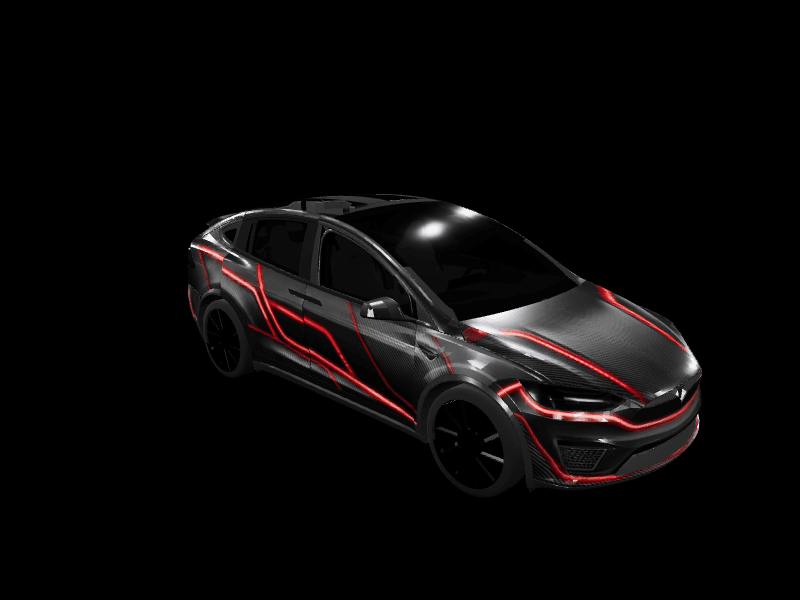
Quick answer: On a Model X the sides carry the wrap, because the hood is short and most of the top is glass. Carbon with neon lines, side stripes, color-shift chrome, camo and seasonal scenes suit it best, and every idea below links a free Paint Shop PNG made on Tesla's one Model X template (2021+).
The Model X is Tesla's big SUV, tall and long, and it wears its windshield like a visor. The glass starts right behind a short hood and keeps going, up and over the front seats, so the top of the car is mostly glass and the sides are mostly door. Then there are the rear doors, which open upward and which nobody forgets after seeing them once.
That shape decides what a wrap can do. This guide covers the ideas that suit a Model X, how Tesla's template lays out the Falcon Wing doors, and a free Tesla Paint Shop file for each look, so you can see it on your own car's screen tonight.
What does the Model X's shape ask for?
Tesla publishes one Model X template, and it's an honest map of the car. Four things stand out on it.
The top is mostly glass. Down the middle of the template, from the back edge of the hood to the bottom of the rear window, nothing is painted. The windshield, the glass over the cabin and the rear window form one long empty shape. The hood ahead of it is wide but short, so a graphic aimed at the top of the car has little room to work.
Each side is four panels. Front to back, that's a front fender, a front door, a Falcon Wing door and a rear quarter panel. On the template the two doors are about the same size, and together with the fender and quarter they make the longest painted stretch on the car. That's where a Model X wrap actually happens.
Thin strips frame the glass. On either side of the empty center, a narrow painted strip runs from the windshield back to the liftgate. The front half is the pillar above the front door. The back half belongs to the Falcon Wing door, which reaches from the side of the car all the way up to the roofline.
The back is a frame. The liftgate's painted area is a frame around the rear window plus a band below it, with the rear bumper underneath. The mirror caps are their own small pieces, an easy place for an accent color.
Which wrap ideas suit a Model X?
Carbon with neon lines
The strongest Model X looks treat the tall sides as somewhere to draw. Carbon Fiber Red Neon is a dark carbon weave with glowing red lines that trace the hood, run along the doors and wrap the front bumper. It makes a family SUV look like it's idling on a starting grid, and it works because the lines follow the panels instead of fighting them. Honeycomb Armor is the quieter cousin: a black and gray hex pattern that reads as plating rather than paint.
Side stripes and slashes
A classic center stripe has a problem here. It gets the hood, vanishes under the glass for the whole length of the cabin, and only comes back below the rear window. That's a lot of missing stripe.
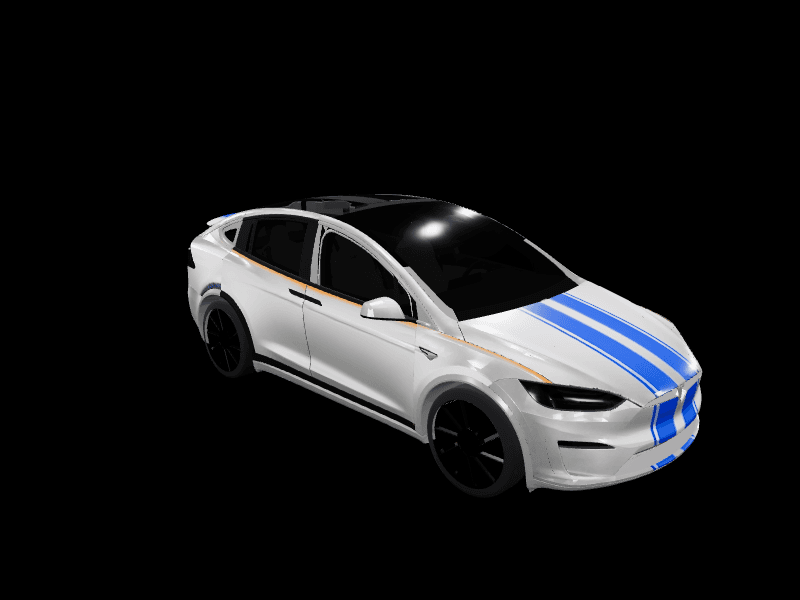
The racing looks that work on a Model X put the speed on the sides. Red White Racing Stripe, from a community designer, throws white slashes down glossy red doors and over the hood. Street Racer runs twin electric-blue lines over the hood and a thin orange pinstripe along silver sides, so the car still looks fast from the side. Where a bold side graphic reaches the Falcon Wing door, end it at the seam rather than running it through: that door lifts on its own. Our street racing wrap ideas cover stripe placement in more detail.
Chrome and color shift
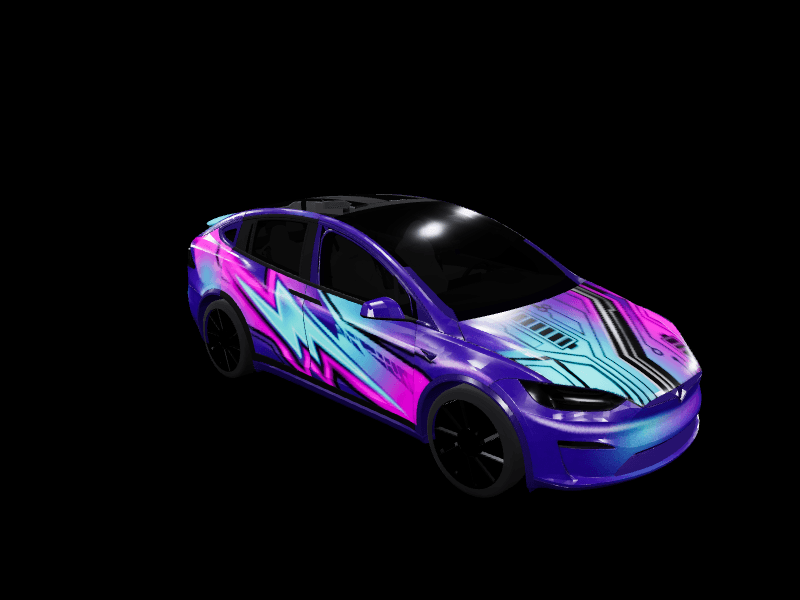
Tall, smooth doors give a reflective wrap a lot of surface. Liquid Chrome is mirror-polished silver with a magenta-to-teal shift that moves across every panel, so the car looks different from every angle you rotate it to. The chrome Tesla wrap guide explains why a color shift reads better on screen than flat silver.
Camo and all-over patterns
A pattern doesn't care where one panel ends and the next begins, which is exactly why it suits a car with four panels down each side and a door that opens upward. Classic Army Camo, another community design, is green and tan in a matte finish and makes the Model X look ready for a long gravel road.
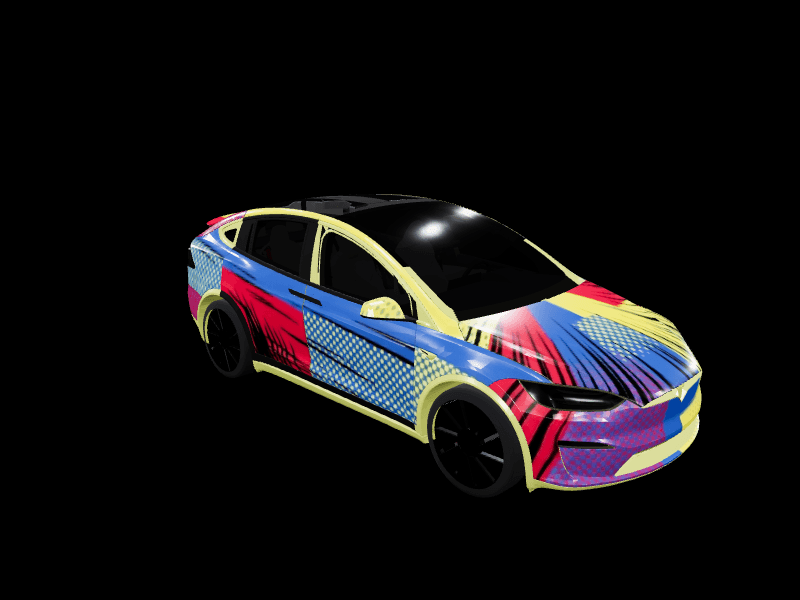
At the louder end, Big Bank Energy covers every panel in a collage of $100 bills. It's the most downloaded Model X wrap in our gallery, and subtle it is not.
Seasonal scenes
Big doors are made for scenes. Spooky Season sets jack-o'-lantern orange and purple fog on black, with bat silhouettes and spiderweb line art, and the Tesla Halloween wrap ideas guide has more for October.
For winter, Evergreen and Gold is evergreen metallic with gold snowflakes and a red ribbon band over the hood. Winter, from a community designer, hangs icicles along the tops of satin midnight-blue doors. Our Tesla Christmas wrap ideas round up the rest of the holiday looks.
Every design made for the car lives on the Tesla Model X wraps page.
How do the Falcon Wing doors sit on the template?
Each Falcon Wing door takes two separate shapes on Tesla's template. The big one is a tall panel on the side of the car, with its lower back corner curving around the rear wheel arch. The small one is the back half of the thin strip beside the roof glass. They sit apart on the flat file, but on the car they're the same door.
Three things follow from that.
- Paint the strip. If your design stops at the window line, the top edge of each Falcon Wing door won't match the rest of the door.
- Use the strip on purpose. The pillar strip above the front door and the Falcon Wing strip behind it line up into one line from the windshield to the liftgate. A contrasting color there outlines the whole glass roof, and it's the only line on a Model X that runs the full length of the top of the car.
- Keep big art off the wheel-arch corner. The bottom back corner of the door panel is cut away around the wheel. A face or emblem placed there loses its lower half, so center large graphics higher on the door.
Tesla publishes the file as Model X (2021+) in its official wrap templates. It's a 1024x1024 PNG and the only Model X template Tesla offers. Our Tesla wrap templates page lists it beside every other model, and the studio lays Tesla's outline over your design, so you can see each of these edges as you work.
What doesn't work on a Model X?
- Roof art. Anything aimed at the middle of the top lands on glass. Move it to the hood or the doors.
- A lone center stripe. It shows on the hood and below the rear window and nowhere in between. Pair it with a side line, or let the sides carry the stripe instead.
- Fine, busy detail. The doors are big, and tiny checks or thin patterns turn into gray noise at the size Paint Shop draws the car.
- Lettering and logos. They distort over the curves, and brand logos aren't allowed in our gallery. Palette and pattern carry a theme without them.
How do you try a wrap on your Model X?
Real vinyl on a car this size is a big bill, and our breakdown of what a Tesla wrap costs has the numbers by model. A digital wrap costs nothing, so live with the design on the screen first.
- Pick a wrap above and tap Download Wrap.
- In the Tesla app, go to Creations > Wrap > Upload and choose the PNG. You'll need app 4.59.1 or newer and car software 2026.26 or newer.
- Rotate the 3D preview, then tap Upload & Apply Wrap.
- In the car, it's waiting in Toybox > Paint Shop > Wraps.
No app update yet? Copy the PNG into a folder named Wraps at the root of an exFAT or FAT32 USB drive and pick it in the same Paint Shop menu. Our tutorial on how to upload a wrap from the Tesla app covers both routes and the usual hiccups.
To make your own, design a Model X wrap in the studio, which opens straight onto the Model X template, and start from a color, a stripe or a prompt to the AI Tesla wrap generator. A free account includes 3 AI wraps a month, and paid plans add more. Your first Tesla wrap walks through the whole process from blank template to exported PNG.
While the car is wearing something new, give it a sound to match: the lock sound library has nearly 400 free lock sounds. Copy LockChime.wav to the top level of a USB drive, then open Toybox > Boombox, turn on Lock Sound and choose USB.
Own a different Tesla too? The Model Y wrap ideas, Model 3 wrap ideas and Cybertruck wrap ideas cover the rest of the lineup.
Frequently asked questions
Can you wrap a Tesla Model X in Paint Shop? Yes. Model X got the full Paint Shop in Tesla's 2026 Spring Update, with the same Wraps tab as every other model, and the Summer Update added uploads from the Tesla app. Pick a wrap in Toybox, then Paint Shop, then Wraps, or send one from the Tesla app under Creations, then Wrap, then Upload.
Is there a Model X wrap template? Yes, one. Tesla publishes it as Model X (2021+) in its official wrap templates, a 1024x1024 PNG. The FrunkLab studio loads the same template when you pick Model X, so every Model X design in the gallery already fits it.
Do the Falcon Wing doors show the wrap? Yes. Tesla's template gives each Falcon Wing door two shapes, a tall side panel and the back half of the thin strip beside the roof glass, so whatever you paint there covers the doors. Paint that strip too, or the top edge of each door won't match the side.
How do I put a wrap on my Model X? Download the PNG, then upload it in the Tesla app under Creations, then Wrap, then Upload, with app 4.59.1 or newer and car software 2026.26 or newer. You can also copy it into a folder named Wraps at the root of a USB drive and pick it in Toybox, then Paint Shop, then Wraps.
Find the look that suits your Model X, then open the studio and make it yours.
Put a custom wrap on your Model X
Community designs, free to download, or make your own in the browser.