Four new wrap collections for every Tesla: gameday, Halloween, street racing and chrome
This week the gallery gained a ready-made wrap for every Tesla model in four looks people kept asking for. How each one was made, why none of them carry a logo, which style pages opened up because of them, and how to put one on your car from your phone in about a minute.

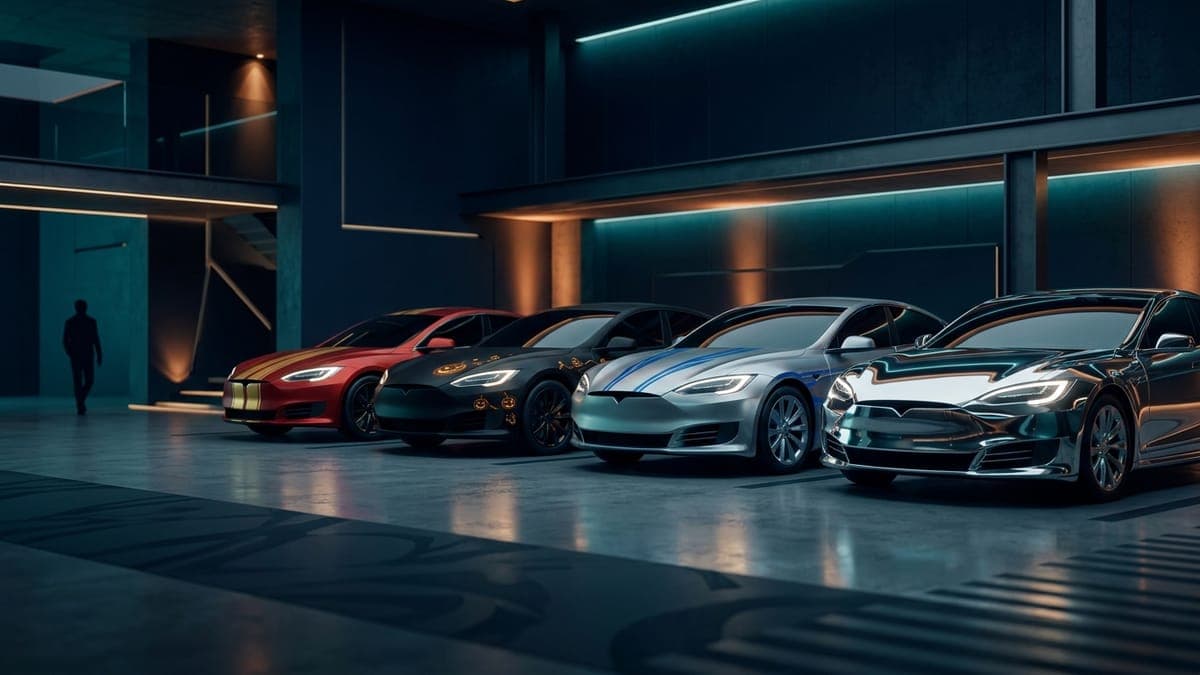
I spent this week filling the gaps people kept searching for. The gallery had plenty of matte, minimal and neon wraps, and almost nothing for the things owners actually ask about in September: a wrap in their team's colors, something for Halloween, the silver-and-blue street racing look from the movies. So I made all of them, once per Tesla model, and put them in the gallery for anyone to download or remix.
Five collections, one wrap per model, 65 wraps. Here is what they are, how they were made, and why every one of them is missing a logo on purpose.
The four
Street Racer. A matte silver base, two electric-blue racing lines from the hood over the roof to the trunk, navy lower panels and one thin orange pinstripe along the shoulder. It is the livery you picture when someone says street racing, minus the sponsor decals and the number. The street racing guide has every model linked and the reasoning behind where the lines go.
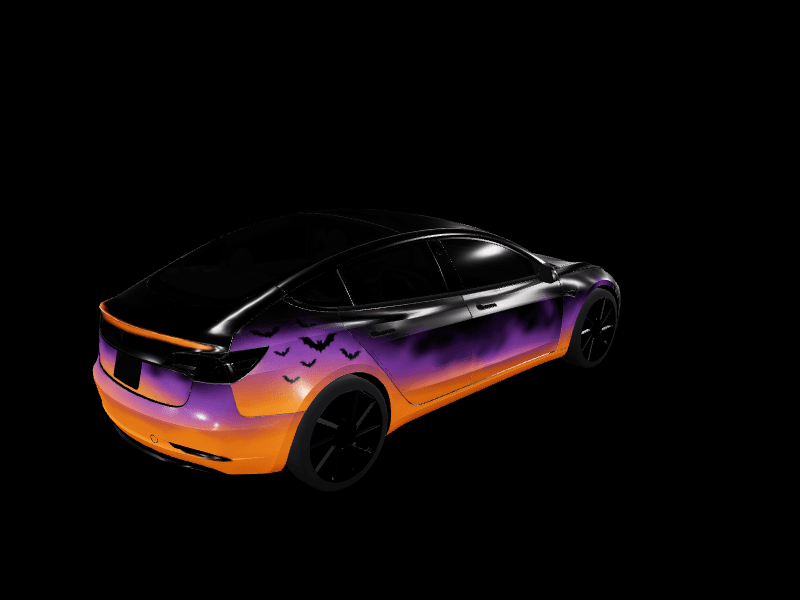
Spooky Season. Black base, jack-o-lantern orange rising from the rocker panels, purple fog up the doors, a flock of bat silhouettes on the rear quarters and spiderweb line art in the hood corners. It is the wrap you run for four weeks and take off on November 1, which is the whole case for digital wraps in one design. The Halloween guide covers the palette and the motifs that survive the car's screen.
Gameday Red and Gold. A two-tone livery: red upper body and hood, metallic gold lower panels, a white divider and a gold diagonal slash on each door. Built for Kansas City fans and anyone else in red and gold, and the gameday guide has the palettes for nine other cities so you can generate your own in a minute.
Liquid Chrome. A mirror finish with a magenta-to-teal color shift and nothing else drawn on it. The vinyl version of this is the priciest film you can buy and is not road legal everywhere; the digital version is free and reflects nothing but pixels. The chrome guide explains why the color shift reads better than plain silver at the size the car draws it. A fifth collection landed the same evening: Autumn Camo, burnt orange, rust red, olive and bark brown in soft-edged angular patches, one per model. It sits in the camo section of the wrap ideas guide with every model linked, and it pushed the Model Y camo page over the line too.
How they were made
Each collection is one description run once per model through the same AI generator you get in the studio, so the design lands on each body's own template rather than being stretched from one car to another. A Model Y L gets its own version, a Cybertruck gets the landscape template, and the Model S and Model X each get theirs.
I reviewed every one of them on the 3D car before it went into the gallery. One roll left panels unpainted and got redone. The rest are what the description asked for, which is the point of the fidelity changes that shipped last week: the generator paints the request and stops adding things.
The descriptions themselves are in each guide, word for word, so you can paste one into the studio, change two colors, and have your own version.
Why there are no logos
Every one of these looks has a famous version with a badge on it. The gameday livery wants a team logo, the street racing car had sponsor decals and a number, and the Halloween wrap could have borrowed a face from a film. None of that is here, and not only because our gallery declines designs that use someone else's brand.
The logo-free versions look better on a Tesla. The body has no grille, no badge cluster and no hood scoop, so a logo has nowhere to sit and ends up floating on a door. Colors do not float. Two tones, a divider and a slash read as gameday from across the parking lot, and nobody has to squint at a crest. The same is true of the racing lines: the movie car is recognisable from its palette, and the palette is what survived.
The pages that opened up
The wrap ideas pages only show a style once a model has at least six approved wraps in it, so a style with three or four designs stays hidden. This week's additions pushed three over the line: Model 3 racing, Model 3 chrome and Model Y camo now exist as their own collections, alongside the wraps other owners had already made in those styles. The Cybertruck racing page was already open and got a new entry.
If you have made a wrap in a style that is still hidden, submitting it to the gallery is how the page eventually appears. The counts are the community's, not mine.
Putting one on your car
From your phone, in about a minute:
- Open a wrap in the gallery and tap Download Wrap.
- In the Tesla app, go to Creations, then Wrap, then Upload, and pick the file.
- On the car, open Toybox, then Paint Shop, then Wraps, and tap it.
The car holds ten wraps loaded through the app and ten more from USB, so the Halloween one can sit next to the gameday one and you switch on the day. Our tutorial on how to upload a wrap from the Tesla app has screenshots, and the Paint Shop troubleshooting guide has the fixes if a file does not show up.
And if none of the five is quite yours, that is what the studio is for. Open any of them, change the colors, and the car is wearing your version by the time you finish your coffee.
Put a custom wrap on your Tesla
Free community designs for every model, or make your own in the browser.