Halloween Tesla wrap prompts: pumpkins, ghosts and skeletons that fill the whole car
Four tested AI prompts for Halloween Paint Shop wraps, a jack-o-lantern parade, dancing skeletons, friendly ghosts and a fall harvest, plus the five-part structure behind them and the fixes for the two things that go wrong.
 By Dex Moreno, Guides editor8 min read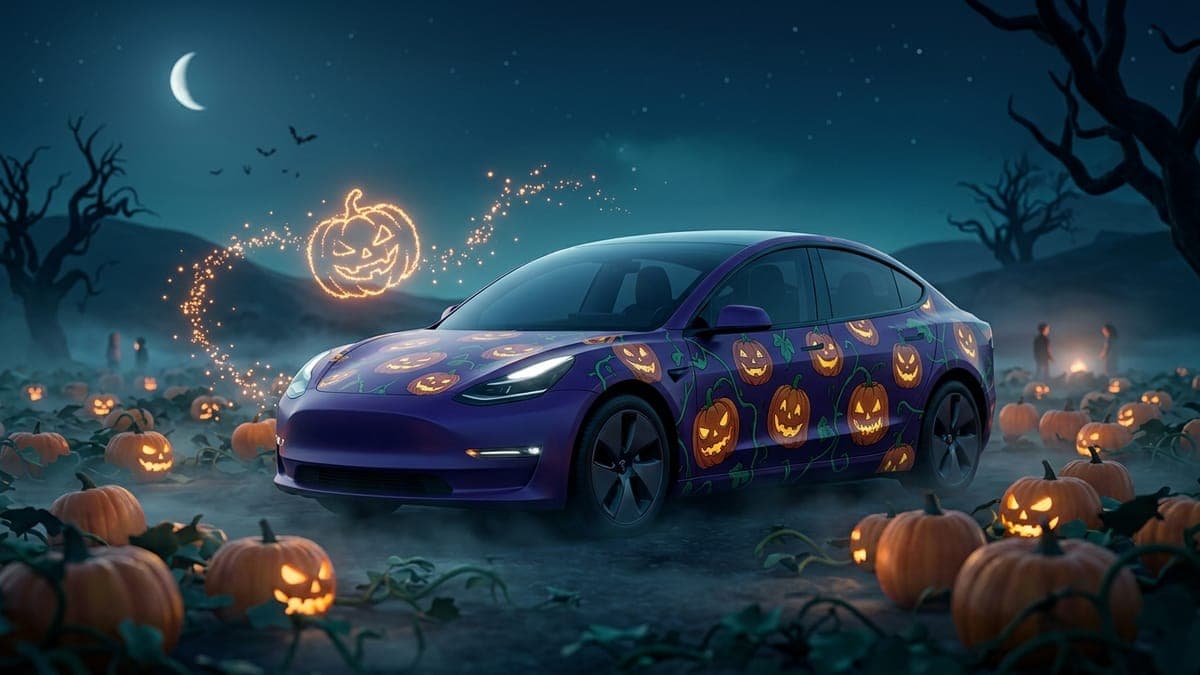
A good Halloween wrap prompt names a base color, tells the AI to paint every panel, then describes real things in real places: carved pumpkins down the doors, a skull on the hood, ghosts trailing to the trunk. Skip any of those and you get one of two failures, a car that is just orange, or a car with white panels the AI forgot.
Below are the four prompts we used this week to make new Halloween and fall wraps for the Model Y and Model 3, word for word, the structure they share, and what to change when a result comes back wrong. Paste any of them into the studio and you'll have a Tesla Paint Shop file in under a minute.
The five-part structure
Every prompt below follows the same order. The order matters, because the AI weighs what comes first.
- Style and scene. "Illustrated Halloween scene" or "Illustrated cozy autumn scene". The word illustrated is what turns a paint job into a picture.
- Base color. One dark base, named specifically: "deep midnight-purple night sky", "deep charcoal-black", "misty deep-teal and indigo". This fills every gap between the motifs.
- The coverage line. "Every white area of the template is fully painted edge to edge, including the hood, the trunk or liftgate, both front fenders, all doors and the curved rear quarter panels." This is the line people leave out, and it's why their front fenders come back blank.
- Motifs, each with a place. Not "pumpkins and bats" but "carved jack-o-lanterns tumbling along both sides", "a big grinning jack-o-lantern on the hood", "tiny bats drifting over the roof edges". Every motif gets a panel.
- Mood and the no-text rule. "Spooky but fun storybook look, no text." The mood line sets the lighting, and "no text" stops stray letters.
What you should not do: ask for one color or two tones. "A black and orange Halloween wrap" gives you a black and orange car, which on the screen looks like a sports team, not a holiday. The motifs are the Halloween.
Prompt 1: Pumpkin Patch Parade
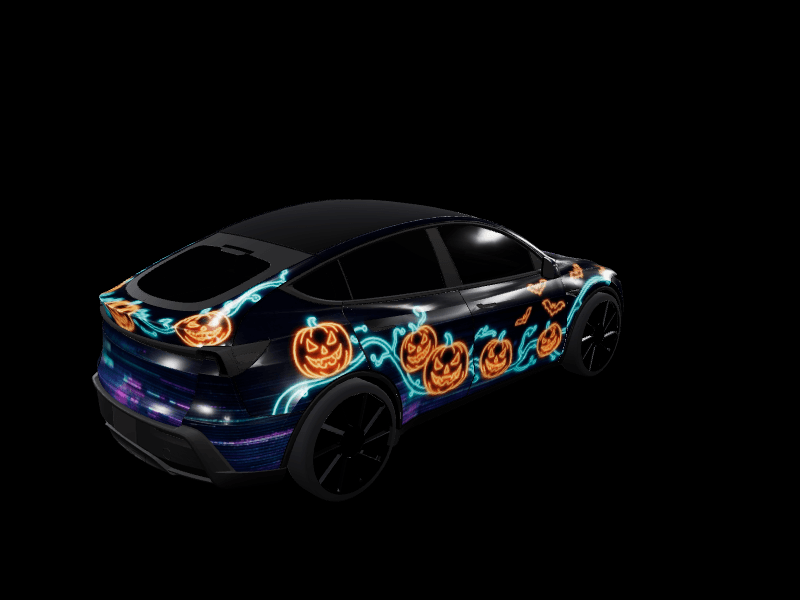
Illustrated Halloween pumpkin patch scene on a deep midnight-purple night sky base, every white area of the template is fully painted edge to edge, including the hood, the trunk or liftgate, both front fenders, all doors and the curved rear quarter panels, with the base color filling any space between graphics and no white or unpainted area anywhere: dozens of carved jack-o-lanterns with glowing candle-lit grins tumbling along both sides of the car like a parade, curling green vines and leaves winding between them, a big grinning jack-o-lantern on the hood with orange light spilling around it, tiny black bats and fireflies drifting over the roof edges, a thin crescent moon on the trunk, warm orange glow against purple and black, spooky but fun storybook look, no text
Results: Model Y Juniper Premium, Model Y 2020-2024, Model 3 Highland. Purple is the right base here: pumpkins on black disappear into the tires, pumpkins on purple glow.
Prompt 2: Skeleton Joyride
Illustrated Halloween scene of dancing cartoon skeletons on a deep charcoal-black base, every white area of the template is fully painted edge to edge, including the hood, the trunk or liftgate, both front fenders, all doors and the curved rear quarter panels, with the base color filling any space between graphics and no white or unpainted area anywhere: a line of grinning white skeletons dancing and waving along both sides of the car, one skeleton strumming a guitar on each front door, scattered bones, candy corn and tiny skulls trailing toward the rear, a large stylized skull wearing a witch hat on the hood framed by glowing orange swirls, purple and lime-green ghost-light flares between the figures, playful spooky graveyard party look, no text
Results: Model Y Juniper Performance, Model 3 Highland Performance, Model 3 2017-2023. White skeletons on charcoal is the highest-contrast Halloween look there is, so it's the one that reads best from across a parking lot on the app.
Prompt 3: Haunted Hollow Ghosts
Illustrated haunted night scene on a misty deep-teal and indigo base, every white area of the template is fully painted edge to edge, including the hood, the trunk or liftgate, both front fenders, all doors and the curved rear quarter panels, with the base color filling any space between graphics and no white or unpainted area anywhere: friendly white sheet ghosts with round dark eyes floating in a swirling trail from the hood to the trunk, a huge glowing full moon on the hood with twisted bare tree branches reaching across it, a crooked haunted house and leaning tombstones silhouetted along the lower doors, rolling silver fog along the rocker panels, small orange pumpkins glowing between the graves, spooky and charming, no text
Results: Model Y Juniper, Model Y L, Model 3 Highland. The teal base is the surprise winner of the four. It reads as cold moonlight rather than night, and the white ghosts stay visible against it.
Prompt 4: Falling Leaves Harvest
Illustrated cozy autumn scene on a warm deep-burgundy and rust base, every white area of the template is fully painted edge to edge, including the hood, the trunk or liftgate, both front fenders, all doors and the curved rear quarter panels, with the base color filling any space between graphics and no white or unpainted area anywhere: hundreds of maple and oak leaves in amber, crimson, golden yellow and copper swirling in the wind from the front of the car to the back, acorns and pinecones tucked among them, a harvest still life on the hood with plump pumpkins, gourds, sunflowers and a woven basket, soft red-and-cream plaid pattern along the lower rocker panels, warm golden-hour light, cozy fall afternoon look, no text
Results: Model Y Juniper AWD, Model Y 2020-2024, Model 3 2017-2023. This is the one to keep past October 31. Our fall wrap ideas guide has three variations on it.
How to run a prompt
- Open the studio on your computer or phone and pick your exact Tesla. The Model Y Juniper and the 2020-2024 Model Y use different templates, so pick the right one.
- Paste the prompt into the AI box and press Generate. It takes 10 to 40 seconds.
- Turn the 3D preview around and check the fenders, the rear quarters and the hood.
- Press Save Design, then Download Wrap on the next screen.
- In the Tesla app, go to Creations > Wrap > Upload and pick the file. On the car, choose it in Toybox > Paint Shop > Wraps.
Our tutorial on adding a wrap from the Tesla app shows the upload screens, and every account gets 2 free AI wraps a month. One-time packs on the pricing page cover the rest.
When it goes wrong
A panel comes back white or black. Usually a front fender, the rear quarter panel or the hood. Make sure the coverage line is in the prompt, and name the missing panel in it explicitly, for example "including both front fenders". Then generate again. If one panel fails twice on the same car, move that panel to the very start of the prompt. When a Model 3 Highland Performance kept coming back with white doors in one of our earlier rounds, opening the prompt with "every panel including both doors painted" is what fixed it.
The car looks like one color with a few stickers. The motifs were too small or too few. Add a number ("dozens of", "a line of") and give the hood its own centerpiece. A big single motif on the hood is what the car shows first.
Figures look sideways in the flat file. That's correct. Figures face the middle of the template, so a skeleton on the driver door lies on its side in the PNG and stands up once the car wraps it around the door. Check the 3D preview, not the flat image.
You asked for a famous character and got something else. The generator turns brand and character names into colors and shapes, and the gallery doesn't accept other people's characters. Describe the costume instead: "a friendly green monster with bolts in its neck" works, a film title doesn't.
Add a lock sound to match
Every Halloween wrap deserves a creaking door on lock. Our Halloween lock sounds roundup has the best free ones, and the AI lock chime generator makes a custom one from a sentence like "an evil laugh echoing in a stone hallway". Copy it as LockChime.wav to the top level of a USB drive, plug it into a front data port, and choose USB in Toybox > Boombox > Lock Sound.
For more spooky starting points, browse the Model Y Halloween wraps and Model 3 Halloween wraps, or read the full Tesla Halloween wrap ideas guide.
Pick a prompt, paste it into the studio, and your Tesla can be wearing pumpkins before dinner.
Frequently asked questions
What is the best AI prompt for a Tesla Halloween wrap? One that names a dark base color, tells the AI to paint every panel, and places specific motifs on specific panels: pumpkins down the doors, a skull or a moon on the hood, ghosts trailing to the trunk. The four prompts above are tested on the Model Y and Model 3.
Why does my AI wrap have white panels? The prompt didn't tell the AI to paint them. Add a coverage line that names every panel, including both front fenders and the rear quarter panels, and generate again.
Can I make a two-tone black and orange Halloween wrap? You can, but it rarely reads as Halloween on the car's screen. Pumpkins, ghosts, bats or skeletons are what make it look like the holiday, so put at least one motif on the hood and one down each side.
Do these prompts work on a Cybertruck or Model S? Yes. Pick that vehicle in the studio and paste the same prompt. The AI lays the scene out on that body's panels, though you may want to move the hood centerpiece to the Cybertruck's flat bed cover.
How many free AI wraps do I get? Every FrunkLab account gets 2 free AI wraps a month. Downloading and designing by hand in the studio is always free.
Put a custom wrap on your Tesla
Free community designs for every model, or make your own in the browser.