How to change your Tesla lock chime
Replace the stock Tesla lock sound with any custom chime in about five minutes. The exact file requirements (WAV, 5 seconds, 1MB), the USB steps, where the setting lives in the car, and the mistakes that make it silently fail.

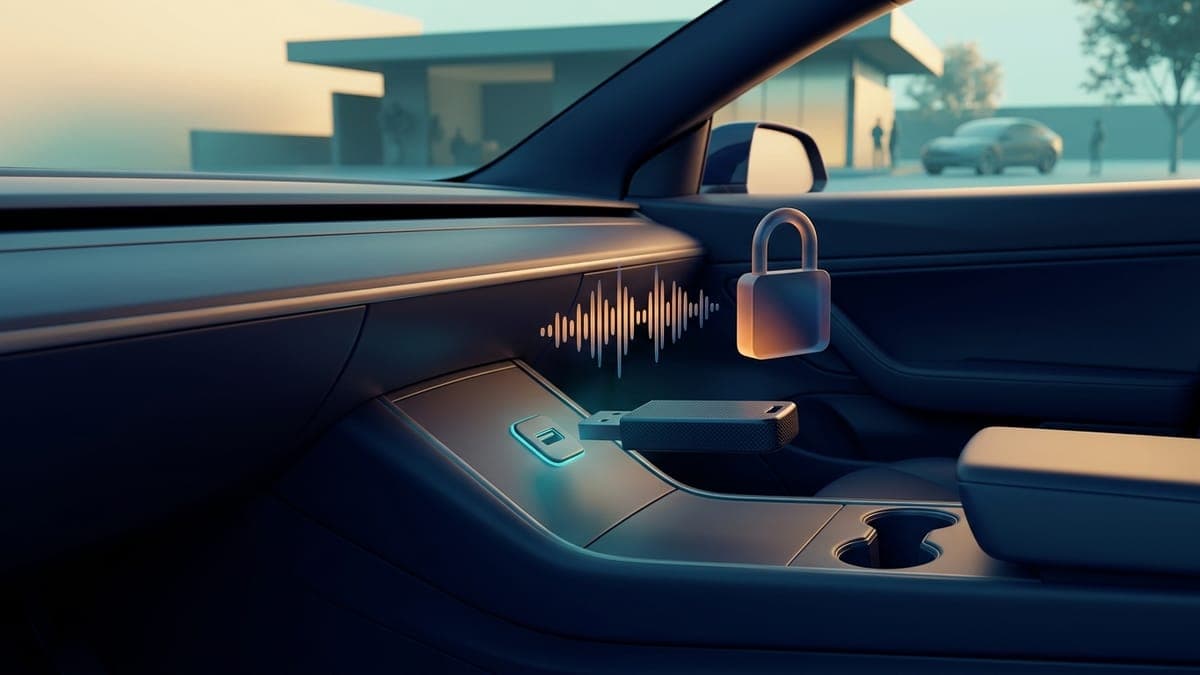
Quick answer: Save a WAV under 5 seconds and under 1 MB as
LockChime.wav, copy it to the top level of a USB drive formatted exFAT or FAT32, and plug it into a front data port. Then open Toybox > Boombox, turn on Lock Sound and choose USB.
Not a Tesla App lays out that same menu path, and the Boombox section of Tesla's owner's manual covers the drive formats and the front USB port. Once it's set, the car plays your sound instead of the stock horn chirp every time you lock it. The whole process takes about five minutes and doesn't require any software mods, subscriptions, or third-party hardware. The catch is that the car never shows an error when a requirement is off, so this guide walks through each one, including the two the short version skips: the external speaker your car needs and the other drive formats that work.
What are the file requirements?
Tesla is strict here, and there's no error message when you get it wrong. The car just ignores the file.
| Requirement | What the car needs |
|---|---|
| Filename | Exactly LockChime.wav. It's case-sensitive: lockchime.wav and LockChime.WAV don't work |
| Format | WAV. Not MP3, not M4A, not a renamed MP3 |
| Length | Under 5 seconds |
| File size | Under 1 MB |
| Safe export settings | 16-bit, 44.1 kHz, mono, about 86 KB per second |
| Drive format | exFAT or FAT32 (ext3 and ext4 also work; NTFS does not) |
| Location | The top level of the USB drive (its root), not inside any folder |
| USB port | A front data port. On many cars built since late 2021 that means the glovebox port |
| Car setting | Toybox > Boombox, turn on Lock Sound, choose USB |
| Speaker | The external Pedestrian Warning System speaker, on most Teslas built since late 2019 |
The USB drive itself needs to be formatted as exFAT or FAT32 (ext3 and ext4 also work; NTFS does not). If the same drive records dashcam footage, that's fine, the lock chime rides along without conflict.
The car needs one piece of hardware too. Lock Sound plays through the external Pedestrian Warning System speaker, the one that hums at low speed so pedestrians hear the car, and most Teslas built since late 2019 have it, as Not a Tesla App's lock sound guide explains. If Boombox shows up in Toybox, your car has the speaker.
Where do I get a chime?
Four routes:
- Download a ready-made one. FrunkLab's lock sounds library has nearly 400 Tesla lock sounds, each one already a Tesla-ready WAV. Tap download and the file arrives named
LockChime.wav, so there's nothing to rename. Sounds are tagged, so if your wrap has a theme, there's probably a chime to match, and our roundup of the best Tesla lock chimes is a quick shortlist. Downloads are free on every tier (pricing only affects AI generations). - Trim your own audio. The free LockChime.wav converter cuts any MP3, M4A or WAV to a clip under 5 seconds, converts it to a 44.1kHz WAV under 1MB and saves it already named LockChime.wav, all in your browser. If you would rather use an audio editor, export WAV and keep an eye on the size: uncompressed WAV at high sample rates can pass 1MB fast. 44.1kHz mono usually lands comfortably under the cap.
- Record something. Your dog, your kid, a synth stab. If it's under 5 seconds as a WAV, the car will play it.
- Make one with AI. Describe the sound in a sentence and the AI Tesla lock chime generator returns a Tesla-ready WAV. Melody and voice chimes are free, 5 a day.
How do I keep a WAV under 5 seconds and 1MB?
WAV size is arithmetic: sample rate times bit depth times channels times seconds. A 16-bit mono file at 44.1kHz runs about 86KB per second, so even a full 5-second chime lands near 430KB. Stereo doubles that to roughly 860KB, still legal but close to the ceiling. A 24-bit, 96kHz stereo export blows past 1MB in under 2 seconds, which is how a technically correct WAV still gets ignored by the car.
When in doubt, export 16-bit, 44.1kHz, mono. The car's small external speaker won't reward anything fancier, and mono halves your file size for free. Trim leading and trailing silence too: silence spends your 5-second budget without doing anything, and a chime that fires the instant you lock feels noticeably better than one with a half-second of dead air first.
What makes a lock chime actually sound good?
Short beats clever. The chimes people keep are 1 to 2 seconds: a note, a chirp, a word, a sting. Five full seconds of audio playing in a quiet parking garage gets old by the third day, and you'll be hearing this sound thousands of times.
Two production notes. First, the car plays the chime at a fixed volume through the external speaker, with no volume control in the UI, so set the level in the file itself: normalize a quiet clip, and pull down a hot one before it distorts. Second, end clean. A clip that cuts off mid-note sounds broken every single time, while a short fade-out of even a tenth of a second reads as intentional.
A quick reality test before the USB trip: play the candidate out loud from your phone, outdoors, three times in a row. If it grates by the third play, it'll grate more from the car, because you'll hear it every single time you walk away. The keepers tend to be sounds you barely notice by week two but would miss if they vanished.
What are the exact steps?
- Format a USB drive as exFAT or FAT32 (or reuse your dashcam drive).
- Copy your chime to the drive and make sure it's named
LockChime.wav, sitting at the top level, not inside any folder. - Plug the drive into a front data port. On many cars built since late 2021 the center console ports only charge, so use the glovebox port, which also keeps the drive out of sight.
- On the touchscreen, open Toybox > Boombox, turn on Lock Sound and choose USB.
- Get out, close the doors, and lock the car. You should hear your chime.
If you later want the stock sound back, turn off Lock Sound in Boombox or pull the drive.
Changing the lock sound on a Cybertruck
The menu is the same on the truck: Toybox > Boombox, turn on Lock Sound, choose USB. Three things are different, and all of them make it easier.
- The speaker is already there. Every Cybertruck has the external Pedestrian Warning System speaker that Lock Sound plays through, so there's no hardware to check.
- Use the drive it came with. The truck ships with a USB-A flash drive in the glovebox port, the one Dashcam and Sentry Mode record to, per Tesla's Cybertruck manual. Copy
LockChime.wavto the top level of that drive, next to the TeslaCam folder, and plug it back into the glovebox. The recordings and the chime share it without trouble. - Going back is one toggle. If you miss the truck's stock lock sound, turn Lock Sound off in Boombox. The file stays on the drive for next time.
The one mistake to avoid on the truck: dropping the file inside the TeslaCam folder. It has to sit beside it, at the top level. For sounds that suit the stainless body, the best Tesla lock chimes list has a short Cybertruck pick, and the AI lock chime generator will make one from a line like a heavy stainless steel door sealing with a low synth hum. The Cybertruck wrap ideas cover the look to go with it.
Why isn't my lock chime working?
The car never shows an error, so check these in order. The first ones take seconds, and one of them is almost always it.
- Is Lock Sound turned on? The file does nothing until you open Toybox > Boombox, turn on Lock Sound and choose USB, with the drive plugged in.
- Is the drive in a data port? On many cars built since late 2021 the center console ports only charge. Move the drive to the glovebox port.
- Is the name exactly
LockChime.wav? Case matters, solockchime.wavwon't work. On Windows, turn on file name extensions in File Explorer: a file that shows asLockChime.wavwith extensions hidden can really beLockChime.wav.wav. - Is it at the top level of the drive? The root means the top level. If the file sits inside any folder, a
LockChimefolder included, move it out. - Is it a real WAV? Renaming
chime.mp3toLockChime.wavdoesn't convert it. Run it through the LockChime.wav converter or re-export it as WAV from an audio editor. - Is it under 5 seconds and under 1 MB? Over either limit and the car skips it without complaint. Export 16-bit, 44.1 kHz, mono and trim the silence.
- Is the drive exFAT or FAT32? Windows formats large drives as NTFS by default, and the car can't read NTFS. Reformat as exFAT (ext3 and ext4 also work).
- Does the car have the external speaker? Lock Sound plays through the Pedestrian Warning System speaker. If Boombox is missing from Toybox, the car doesn't have it.
- Is the car's software current? If Lock Sound doesn't offer a USB option, update the software and check again.
- Does it play but sound crunchy? The file is probably clipping. Lower the gain a few decibels in your editor and re-export; the external speaker is small and unforgiving.
Can I use a clip from a song?
For your own car, you can load any audio you have a copy of: trim it under 5 seconds, export it as WAV, and the car will play it. Movie one-liners, game sound effects, and song hooks are all popular choices, and a 2-second hook usually works better than trying to cram in a whole phrase.
Two caveats. Community libraries can't host copyrighted clips, so anything you share publicly needs to be original or licensed. And heavily compressed source audio (a low-bitrate rip, a voice memo of a speaker) tends to sound thin outdoors; start from the cleanest copy you can find.
Can my lock chime match my wrap?
That's the fun part. A digital wrap and a lock chime ride the same USB drive: the wrap PNG goes in a Wraps folder, the chime sits at the root, and neither interferes with the other. Design a theme in the studio (the first-wrap tutorial gets you to a finished design in minutes), pick a chime from the library that matches it, and load both in one trip to the car. If you're saving a design on FrunkLab, you can attach a sound to it directly so the pair stays together. The USB export walkthrough covers the wrap half of that trip, and how to get a custom Tesla wrap covers the whole route from blank template to themed car.
Frequently asked questions
Does a custom lock chime void the warranty? No. It's an official Tesla feature, present in the software since the 2022 holiday update. You're using the car as designed.
Do all Teslas support it? Any Tesla with the external Pedestrian Warning System speaker can play a custom lock chime, and most Model 3, Model Y, Model S, Model X, and Cybertruck builds since late 2019 have one. If Boombox appears in Toybox, your car has the speaker. If Lock Sound doesn't offer a USB option, update the car's software.
Can I have more than one chime?
One at a time. The car reads a single LockChime.wav. Keep a folder of favorites on your computer and swap the active one whenever you want.
Why won't my Tesla play my custom lock chime?
Most often Lock Sound isn't set to USB in Toybox > Boombox, the drive is in a charge-only console port, or the file isn't named exactly LockChime.wav at the top level of the drive. After that, check that it's a real WAV under 5 seconds and 1 MB on an exFAT or FAT32 drive.
How do I change the lock sound on a Cybertruck? The same way as any Tesla. Copy LockChime.wav to the top level of a USB drive, then open Toybox > Boombox, turn on Lock Sound and choose USB. The easiest drive is the one the truck ships with in the glovebox port: put the file at its top level, next to the TeslaCam folder, not inside it. Every Cybertruck has the external speaker the sound plays through.
Is this the same as Boombox?
The lock chime is set inside Boombox. Boombox is the Toybox app that plays sounds through the external speaker, and Lock Sound is one of its settings: it picks the sound the car makes when you lock it. Boombox's own on-demand sounds go in a Boombox folder on the drive, while LockChime.wav sits at the top level. The Tesla Boombox guide covers the on-demand side.
Can I make the chime quieter or louder from the car? No. Playback volume is fixed, so loudness is set in the file itself. Normalize a quiet clip upward or reduce the gain on a loud one in your audio editor, then re-export and swap the file.
Does the USB drive need to stay plugged in? Yes. The car plays the chime from the drive, so removing it reverts you to the stock sound until you plug it back in. This is why the glovebox port is popular: the drive stays connected and invisible.
Will my chime survive software updates? Yes. Updates don't touch files on your USB drive. If the custom sound ever stops after an update, check that the drive is still seated and that Lock Sound is still set to USB in Toybox > Boombox; re-enabling takes seconds.
Browse the lock sounds library and give your Tesla a voice to go with its wrap.
Find your Tesla lock sound
Free lock chimes that download already named LockChime.wav, or describe your own and let the AI make it.