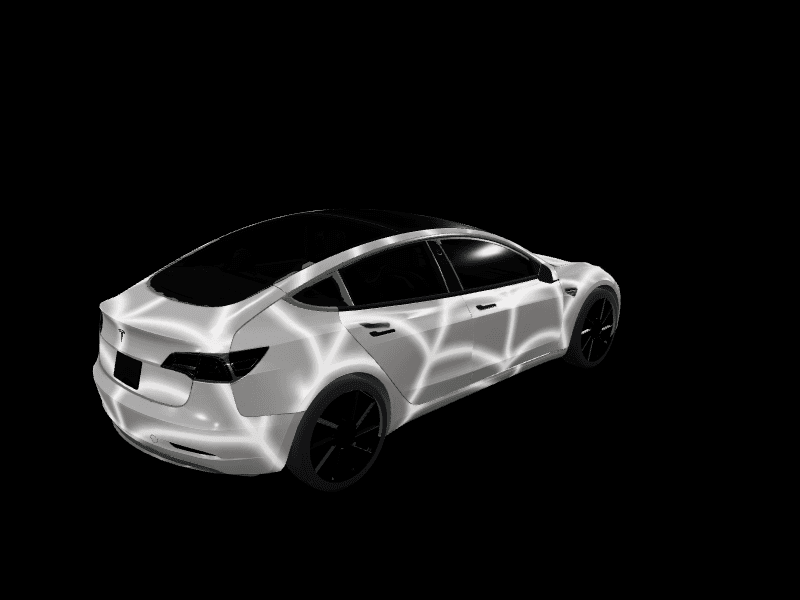
Can you wrap a Tesla Cybercab?
Yes, with a condition. Tesla's order terms reportedly route physical wraps through Tesla or an authorized provider, and Tesla hasn't published a Cybercab template for digital Paint Shop wraps yet. Here's what you can do today, and how to try the gold look on your own Tesla.
 By Dex Moreno, Guides editor7 min read
Yes, you can wrap a Tesla Cybercab, with one condition. The order terms for the first customer cars reportedly say wraps have to go through Tesla or an authorized provider. A digital wrap is a different story: as of November 14, 2026, Tesla hasn't published a Cybercab template for Paint Shop, so there's no official file to design on yet.
This guide covers both kinds of wrap, what's known and what isn't, and how to get the Cybercab look on a Model 3, Model Y or Cybertruck today.
The short version
| Option | Possible today? | What to know |
|---|---|---|
| Vinyl wrap on a Cybercab you own | Yes, through Tesla or an authorized provider | Per the reported order terms. Ask Tesla before you book a shop |
| Digital Paint Shop wrap on a Cybercab | Not yet | Tesla has published no Cybercab template |
| Wrapping a Robotaxi fleet Cybercab | No | Those cars belong to Tesla |
| Cybercab-style wrap on your current Tesla | Yes, free | Design it in the studio and load it through Paint Shop |
What do the order terms say about wraps?
Tesla began inviting select customers to buy a Cybercab on November 13, 2026, for $29,990 plus a $299 monthly Autonomy Subscription. Our news desk has the full order details.
Teslarati read the order agreement, terms of use and subscription agreement, and its summary includes this point: no unauthorized modifications, including wraps, window tint or wheel changes, without Tesla or an authorized provider.
Two things about that line.
- It isn't a ban. It says who does the work, not that the work can't happen.
- It's a summary. Teslarati paraphrased the documents. If you have an invitation, read the wording in your own order agreement, because that's the version that binds you.
Why would Tesla care who wraps the car? The Cybercab drives itself, and it does that with cameras. Film laid over a camera housing, or trimmed badly around one, is a safety problem on a car with no steering wheel. An installer who knows where the cameras sit, and where film must stop, is the reasonable ask.
Why is every Cybercab gold?
Because the gold isn't paint. The body panels are molded with the color already in them, which lets Tesla skip the paint shop and build the car faster. No outlet covering the sale lists a second color.
For wrapping, that matters in three ways:
- There's no clear coat to protect. Much of the case for vinyl on a painted Tesla is saving the paint underneath. That argument is weaker here.
- Adhesion is a question for the installer. Molded panels aren't the painted steel and aluminum most wrap film is made for. That's one more reason an authorized provider is the right first call.
- A wrap is the only way to change the color. If you don't want gold, film is your one route.
Has anyone wrapped a Cybercab?
Tesla has. In July 2026 it showed a Cybercab at Giga Texas in a parchment-style wrap with fighter-plane nose art for America's 250th anniversary. We covered it in Tesla wrapped a Cybercab for America's 250th.
So the car takes film, and Tesla treats a wrap as the way to dress one up. What nobody outside Tesla has published yet is a customer install, since the first deliveries are estimated for December 2026.
Can you put a digital wrap on a Cybercab?
Not yet. A digital wrap is an image your Tesla shows on its own 3D car, on the touchscreen and in the Tesla app. It needs a template, the flat outline of that model's panels, and Tesla publishes one for each supported car.
We checked Tesla's official template repository on November 14, 2026. It holds 12 vehicle folders: Model 3, Model Y, Model S, Model X and Cybertruck variants. There's no Cybercab folder. Tesla also hasn't said whether the Cybercab's screen has a Toybox > Paint Shop > Wraps menu.
That means any "Cybercab wrap template" you find online today isn't Tesla's file, and nothing confirms the car would accept it. The supported list is in which Tesla supports digital wraps. FrunkLab builds on Tesla's official templates, so the Cybercab isn't in the studio's model list today.
How do you get the Cybercab look on your Tesla?
This part works right now and costs nothing. A digital wrap changes the car on your screen, not the metal, so you can try gold on a Model Y in about 5 minutes.
- Open the studio and pick your model.
- Describe the look to the AI generator. A prompt that works: satin champagne gold across every panel, soft brushed-metal sheen, thin black accent line along the lower doors, no text.
- Check it on the 3D car from every side, and regenerate or adjust until the gold looks right to you.
- Download the PNG and load it from the Tesla app at
Creations > Wrap > Upload, or from a USB drive.
New to this? Your first Tesla wrap walks through the whole thing, and AI wrap prompts that work explains why naming the panels gets better results. For picking the shade itself, see the wrap color guide.
Three looks worth trying:
- Factory gold. One color, satin finish, nothing else. The closest match to the real car.
- Robotaxi livery. Gold body with a dark roof band and a small geometric pattern low on the doors.
- Anniversary nose art. The parchment and vintage-aircraft style Tesla used in July. It suits a Cybertruck's flat panels best.
A free account includes a couple of AI generations, and more come in one-time packs listed on the pricing page. Designing by hand in the editor is free.
What if you're getting a Cybercab?
If you have an invitation, here's a sensible order of operations.
- Read the modification clause in your own agreement before you plan anything.
- Ask Tesla which providers are authorized, and get the answer in writing. No list has been published.
- Keep it removable. The terms reportedly require Tesla's permission to resell the car and give Tesla a right to buy it back. A wrap that peels off cleanly keeps both simple.
- Leave the cameras alone. No film, no tint, no trim pieces over any camera or sensor.
- Photograph the car at delivery, before any work, the same way you would with a lease.
The return-it-clean thinking is the same as in can you wrap a leased Tesla, and digital wraps vs physical wraps compares the two routes in general.
Frequently asked questions
Can you wrap a Tesla Cybercab? Yes. Per Teslarati's summary of the order terms, a wrap needs to be done by Tesla or an authorized provider. Tesla has already wrapped at least one Cybercab itself.
Does the Cybercab have Paint Shop? Tesla hasn't said. As of November 14, 2026 there's no Cybercab template in Tesla's official wrap template repository, so there's no official way to make a digital wrap for it.
What colors does the Cybercab come in? Gold. The color is molded into the body panels instead of painted on, and no other color has been announced.
How much does it cost to wrap a Cybercab? Nobody has published a price, because no customer car has been delivered yet. For what full wraps cost on other Teslas, see how much does a Tesla wrap cost.
Can I wrap a Cybercab I ride in? No. Robotaxi fleet cars are Tesla's. The wrap question only applies to a Cybercab you own.
Will FrunkLab support the Cybercab? The studio works from Tesla's official templates. Tesla hasn't published one for the Cybercab, so it isn't in the model list.
Can I make my Model Y look like a Cybercab? On screen, yes. Design a gold digital wrap in the studio and load it through Paint Shop. It changes the car shown on your touchscreen and in the Tesla app, not the paint.
Until Tesla publishes a Cybercab template, the quickest way to see that gold on a car you own is to open the studio and try it on your model.
Get a wrap onto your Tesla
Grab a free community design, then load it in Paint Shop from the Tesla app or a USB drive.