Tesla Model S wrap template: which one you need and how to use it
Tesla publishes two Model S wrap templates, one for the 2021 and later Model S and one for the 2025 Plaid, and the difference is at the bumpers. Which file fits your car, how the flat 1024x1024 layout maps onto it, and how to go from a blank template to a wrap on your screen.
 By Dex Moreno, Guides editor6 min read
Quick answer: Tesla publishes two Model S wrap templates: Model S (2021+) and Model S Plaid (2025+). Both are 1024 by 1024 PNGs, and they differ only at the front and rear bumpers. Get yours from Tesla's official wrap templates or our Tesla wrap templates page, or pick your Model S in the studio and it loads automatically.
A Tesla Model S wrap template is the flat 1024 by 1024 image that Tesla Paint Shop uses to paint your car's 3D model. Tesla unfolds the body into one square, and whatever you paint on each part of that square ends up on the matching panel of the car on your screen.
Model S and Model X got Paint Shop in the 2026 Spring Update, a few months after the other models, so there's less written about their templates. This guide covers which Model S file fits your car, how to read it and the quickest route from a blank template to a wrap.
Download the blank Model S template
Both Model S templates are on our Tesla wrap templates page, with a preview of each, a link to Tesla's file and a button that opens it in the studio. Tesla's own folders are Model S (2021+) and Model S Plaid (2025+). Download one if you design in Photoshop, Procreate or Canva. If you'd rather skip the file handling, pick your car in the studio and the template is already there, outline and no-paint areas included.
Which Model S template do you need?
| Your Model S | Tesla's template |
|---|---|
| 2021 and later Model S (the refresh with the new interior) | Model S (2021+) |
| 2025 and later Model S Plaid | Model S Plaid (2025+) |
Tesla labels the Plaid file 2025 and later, so a Plaid built before the 2025 refresh matches the Model S (2021+) template. If you're not sure, compare the front bumper on the two previews with your car. Tesla's templates start at 2021. If you have an earlier Model S, our guide to which Tesla supports what covers what to check first.
The two files share the same hood, doors, glass outline and sill strips. The Plaid's front bumper has two extra cut-outs at its upper corners, and its rear bumper is shaped differently. A design that stays away from the bumpers works on both. One with hard edges near the nose or the tail needs the matching file.
How to read the Model S template
The template looks like the car was peeled and laid flat, seen from above, with the front at the top:
- Top: the front bumper, then the hood, the largest single painted shape on the file.
- Middle: the glass roof, which is left empty from the windshield to the rear window, framed by two thin strips.
- Sides: a front fender, a front door, a rear door and a rear quarter panel on each side, with a separate thin sill strip below the doors.
- Bottom: the band below the rear window, then a small lip and the rear bumper.
- Small pieces: the mirror caps sit beside the hood.
Because the sides unfold outward, a figure you want upright on the driver's side should face toward the center of the square, and the same on the passenger side. It looks turned on the flat file and reads correctly on the car. Our Model S wrap ideas guide shows how designs use that long hood and those long sides.
Step 1: Pick your exact Model S
Open the studio and choose Model S, then 2021+ or Plaid (2025+), the same split as Tesla's two templates. The studio loads the matching template with the outline, the panel lines and the no-paint areas in place.
Step 2: Start the design
Fill the body with a color or a gradient, upload an image, or describe the design to the AI Tesla wrap generator, like "black lacquer with fine gold art deco lines down the sides." Put the centerpiece on the hood and the movement on the sides: a graphic aimed at the roof lands on glass. Our tutorial on AI wrap prompts has phrasing that works well.
Step 3: Check it on the 3D car
Open the 3D preview and spin the car. Check the long sides from front to back, where a stripe has to line up across four panels, and the nose and tail, where the two templates differ. Our 3D preview tutorial has the full checklist.
Step 4: Export the PNG
Save the design and download the wrap. The studio exports a 1024 by 1024 PNG under 1 MB, with a filename of letters, numbers and dashes. Tesla caps filenames at 30 characters, so shorten a long title before you upload.
Step 5: Send it to your Model S
In the Tesla app, go to Creations > Wrap > Upload and pick the PNG. You'll need Tesla app 4.59.1 or newer and car software 2026.26 or newer. On older software, copy the file into a folder named Wraps at the root of a USB drive formatted exFAT or FAT32, plug it in, and open Toybox > Paint Shop > Wraps. Our tutorial shows how to upload a wrap from the Tesla app, with screenshots.
Common Model S template mistakes
- The wrong bumper file. A Plaid design on a non-Plaid car, or the reverse, shifts at the nose and the tail.
- A center stripe. It shows on the hood, disappears for the whole glass roof and comes back at the tail. Put stripes on the sides.
- Saving as JPG. Paint Shop only reads PNG files.
- A file over 1 MB. Big photographic designs can go over. Re-export at 1024 by 1024, not larger.
- Special characters in the filename. Stick to letters, numbers, spaces, underscores and dashes, up to 30 characters.
If a wrap still won't show up, the Paint Shop troubleshooting guide covers every cause we've seen.
Skip the template entirely
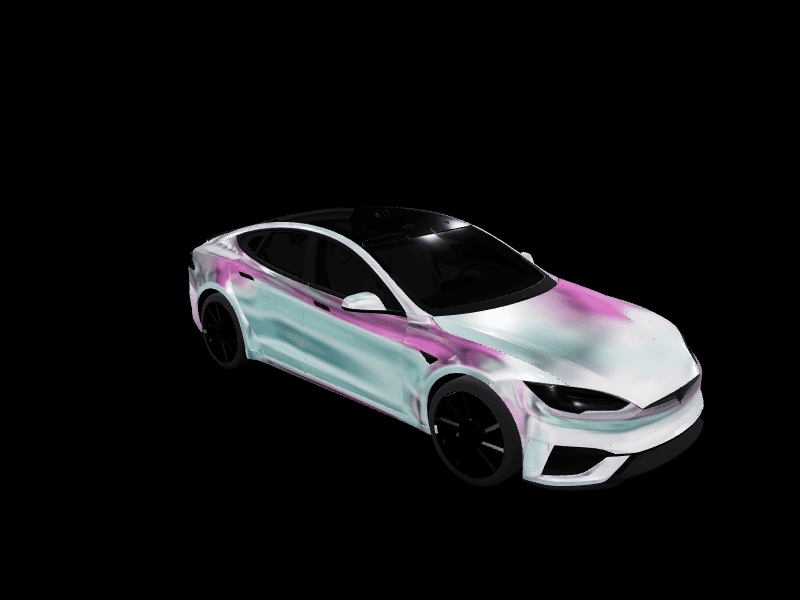
The gallery has finished Model S wraps for both templates, ready to download as PNGs. Liquid Chrome is a magenta-to-teal chrome shift on the Plaid file, and Art Deco Peacock sets gold fans on black lacquer. The Tesla Model S wraps page has the rest, and any of them can be opened in the studio and changed.
Pick your Model S, then open the studio and the right template is already waiting.
Frequently asked questions
Where do I get the Tesla Model S wrap template? Tesla publishes two Model S templates in its official custom wraps repository, Model S (2021+) and Model S Plaid (2025+). The FrunkLab studio has both built in and loads the right one when you pick your car.
What size is the Model S wrap template? 1024 by 1024 pixels. Paint Shop accepts PNG files from 512 by 512 up to 1024 by 1024, under 1 MB.
Is the Model S Plaid template different? Only at the ends. The 2025 Plaid file has a different front bumper, with two extra cut-outs, and a differently shaped rear bumper. The hood, doors and sides are the same as the Model S (2021+) file.
Which template does a 2023 Model S Plaid use? Tesla labels the Plaid template 2025 and later, so a Plaid built before the 2025 refresh matches the Model S (2021+) file. Compare the front bumper on the two previews if you're not sure.
Can I use the Model S template in Photoshop or Canva? Yes. Open the template, paint on a layer above it inside the body outline, hide the template layer and export a PNG under 1 MB. The studio does the same with the outline, the 3D check and the export handled for you.
Put a custom wrap on your Model S
Community designs, free to download, or make your own in the browser.