What is the best Tesla wrap visualizer?
Comparing every way to preview a wrap on a Tesla before you commit, from free browser tools with live 3D previews to wrap-shop mockups and DIY Photoshop. What each costs, what each shows you, and which fits your situation.

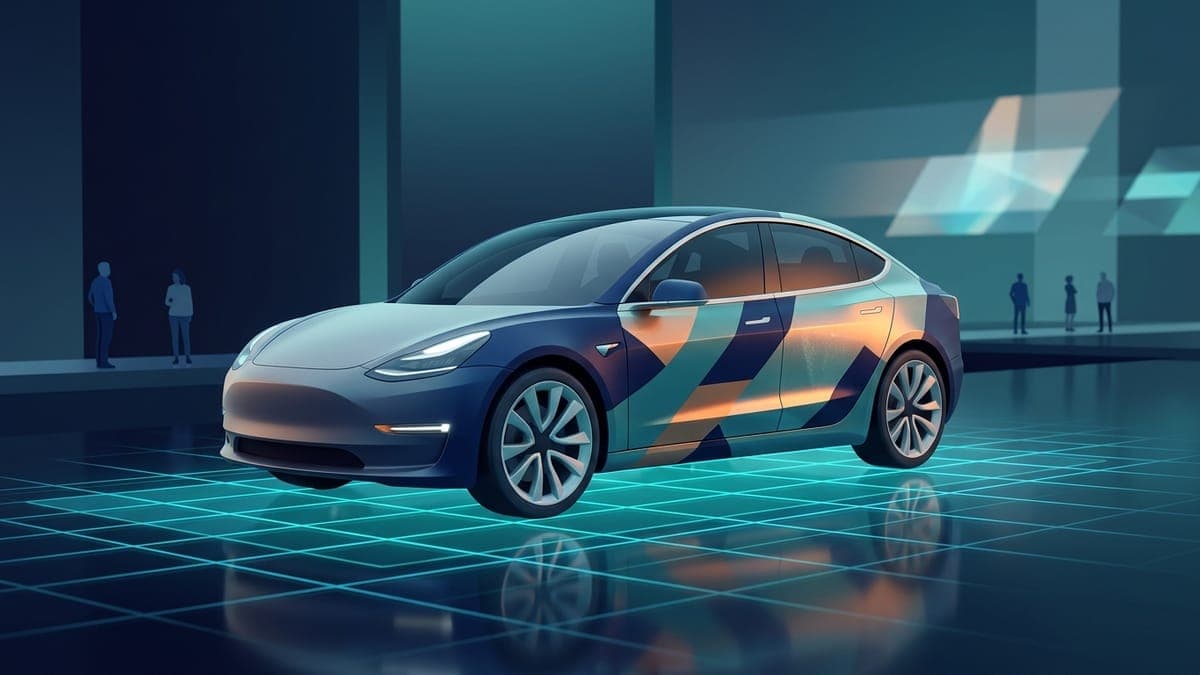
Quick answer: For a free 3D preview of your own design on your exact Tesla, use FrunkLab: it runs in the browser, covers every current model and exports a Paint Shop PNG. Use a wrap shop's mockup when you are pricing real vinyl, and Photoshop templates if you already design in layers.
A Tesla wrap visualizer is a tool that shows you what a wrap design will look like on your specific Tesla before you spend money or time on it. The best one depends on what you're deciding: FrunkLab is the strongest free option for seeing a custom design on an accurate 3D model of your exact Tesla in the browser, wrap-shop mockups are right when a local installer is quoting you real vinyl, and Photoshop templates fit designers who already live in layers and masks. This guide compares all of them so you can pick in about two minutes.
Why preview a wrap at all?
Because wraps are expensive to get wrong. A physical vinyl wrap runs $2,000 to $6,000 installed, and the color that looked perfect on a 2-inch swatch can look completely different stretched across a Model Y's curves. Even a digital wrap (the image your Tesla displays on its own screens) is worth previewing, since a design that reads well flat can land badly once it bends around a fender.
Lighting matters too. Satin black is gorgeous at noon and invisible at night. A good visualizer lets you check a design under more than one lighting condition before you commit.
Placement is the third reason, and the least obvious. Wrap designs are painted on a flat template, and flat templates lie by omission: a graphic centered on the template rectangle can straddle a door seam on the real car, and a stripe that looks straight can kink where the fender curves away. A preview that puts the design on an actual body catches these before they cost you a redesign, or worse, a reprint.
Option 1: FrunkLab (free, browser, live 3D)
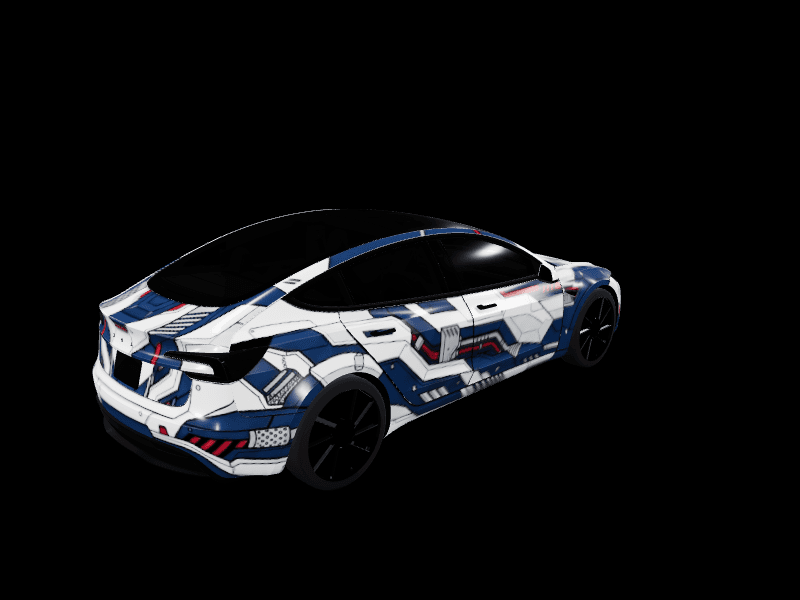
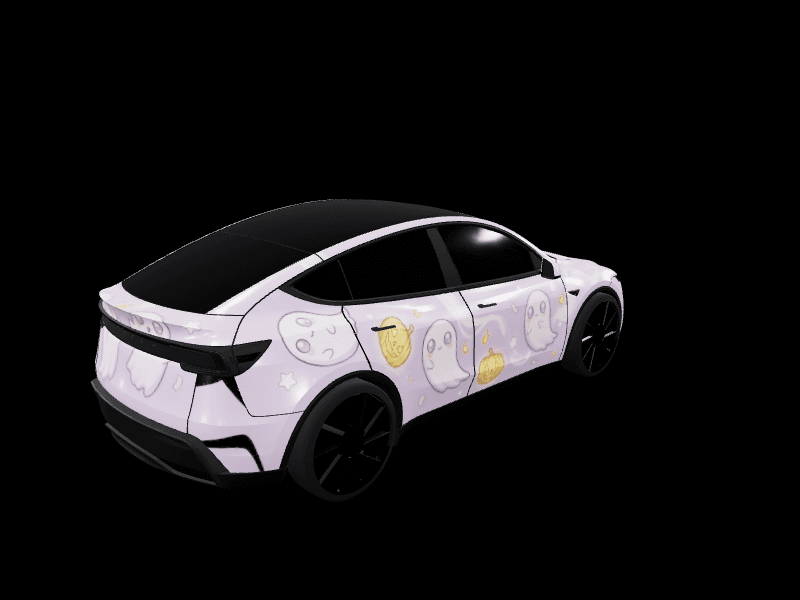
FrunkLab is a free browser tool for designing Tesla wraps and previewing them on interactive 3D models. Two editors share the same designs: the Studio, where you edit the flat wrap template with layers, text, and drawing tools, and the Garage, where you design directly on a live 3D car and see every change instantly.
What it gives you:
- Accurate 3D models for every supported Tesla: Model 3 (including Highland), Model Y (including Juniper and the Y L), Cybertruck, Model S, and Model X.
- Seven lighting scenes, from a light or dark showroom to Neon Bay and Cyber Garage, so you can check a palette under different conditions.
- An AI Tesla wrap generator that turns a text prompt into a design, plus a community gallery where any wrap can be forked and edited.
- Export as a Tesla-compatible PNG you can upload from the Tesla app or load onto the car over USB.
The catch: FrunkLab previews designs, not vinyl brands. It won't show you 3M 2080 Satin Flip Psychedelic specifically. It shows you your own artwork, colors, and layouts on your own model, which is the decision most owners are actually making.
Cost: free to design, preview, and export. One-time AI packs from $4.99 add more AI generations, with no subscription.
How accurate is a browser 3D preview?
Accurate where it counts. FrunkLab's preview is built on the same mapping the car uses: your design lives on Tesla's official flat wrap template, and the 3D view shows that exact file applied to the body of your variant. Draw a circle on the hood region of the template and a circle appears on the hood of the 3D car, at that position and that scale. Nothing is repositioned or prettied up, because placement mistakes are exactly what a preview exists to catch.
Each supported vehicle also has its own 3D model rather than one generic body. A Highland Model 3 and an original Model 3 render as the different cars they are, and the three Model Y generations are separated the same way. The 3D preview tutorial covers the controls: orbit, zoom, and switching between the lighting scenes.
Two things the preview deliberately doesn't simulate: film properties (metallic flake, gloss depth, texture) and the exact light in your driveway. It shows the artwork faithfully. It doesn't pretend to be a materials lab.
Option 2: wrap-shop configurators
Most large vinyl manufacturers and many installers offer web configurators that render their film catalog on a generic car body. These are the right tool when your question is "which exact film should my installer order?" because the swatches correspond to real products.
The limits are real, though. The car body is usually approximate rather than your exact model year, custom artwork usually isn't supported (you're picking from a catalog, not designing), and some shops gate the good mockups behind a quote request.
Use these after you know your direction, not while you're still exploring.
Option 3: Photoshop or GIMP with a template
Tesla publishes official wrap templates, and any image editor can open them. If you're comfortable with masks and layer clipping, this route gives you total control over the artwork.
What you give up is the third dimension. A flat template tells you nothing about how a stripe bends over the frunk or where a graphic lands relative to the door seam. Designers who go this route often end up rebuilding the design after seeing it on the real car. If you want the control of a template editor plus a 3D check, the FrunkLab Studio is effectively this workflow with the preview built in.
Cost: free with GIMP, $23/month with Photoshop.
Option 4: asking an installer for a rendered mockup
High-end wrap shops will produce a rendered mockup of your car in your chosen film, sometimes photographing your actual vehicle first. It's the most accurate preview of physical vinyl you can get.
It's also the slowest and least exploratory. You typically get one or two revisions, turnaround is days, and shops reasonably reserve the service for customers who are close to booking. Show up with a direction already worked out and the process goes much better. Several owners design a digital version first precisely so the installer conversation starts from a picture instead of adjectives. The full handoff, from browser design to a shop's production file, is covered in how to get a custom Tesla wrap.
Does it matter which Tesla you drive?
More than most comparison articles admit. The same design tool behaves differently depending on the body it's previewing.
- Model 3 and Highland. All curves. Gradients and stripes bend visibly across the fenders, which is why these are the models where a 3D check earns its keep. Both generations have separate models, so a Highland owner isn't previewing on the old nose.
- Model Y, Juniper, and Model Y L. Similar curvature plus a taller rear and a large roof. The roof dominates the flat template but almost disappears from a sidewalk view, so don't spend your best artwork there.
- Cybertruck. The template is landscape (1024x768 rather than the square 1024x1024) and the flat stainless panels translate from 2D to 3D almost one to one. It's the easiest Tesla to predict, and there's a dedicated Cybertruck design tutorial.
- Model S and Model X. Both preview on their own 3D models (added August 2026). The S's long fastback stretches rear-panel art, and the X's falcon-wing door seams cut through side designs; rotate the model and check both before exporting.
What can't any visualizer show you?
A short list, and it applies to every option above, paid mockups included:
- True color. Your monitor emits light; paint and film reflect it. Two blues that match on screen can split apart in afternoon sun. For physical vinyl, nothing replaces a real swatch held against your car.
- Film behavior. Gloss depth, metallic flake, the way satin shifts tone across a curve. Renders approximate this at best.
- Install quality. Seam placement, edge wrapping, and bubble-free application are the installer's craft. No preview vouches for the person doing the work.
- Aging. Vinyl fades and collects wear over years. A render is forever day one.
If you're going digital rather than physical, most of this stops mattering: the screen is the final medium, so what you preview is genuinely what the car displays.
Which one should you use?
- Exploring ideas, or wrapping the car digitally: FrunkLab. Free, immediate, and the 3D preview is on your actual model.
- Buying physical vinyl from a catalog: the manufacturer's configurator for film selection, then an installer mockup before you sign.
- You're a designer with existing tooling: Photoshop on the official template, with a 3D sanity check before finalizing.
To see the visualizer with real designs already loaded, browse the free Tesla Model Y wraps and Tesla Model 3 wraps: every one opens on the 3D car.
These aren't exclusive. The cheapest mistake-avoidance stack is a free digital design first, then the paid mockup only for the finalist.
Frequently asked questions
Is there a completely free Tesla wrap visualizer? Yes. FrunkLab's free tier covers designing, 3D preview, and export with no payment info required. See what the free tier includes.
Can I preview a wrap on a Cybertruck? Yes. The Cybertruck has full 3D support on FrunkLab, and its flat panels make it the most faithful 2D-to-3D translation of any Tesla.
Do visualizers show physical vinyl accurately? Approximately. Screen color and film-under-sunlight color never match perfectly. For physical wraps, always confirm with a real swatch from your installer before committing.
Can I put my previewed design on the actual car? If it's a digital wrap, yes. Download the PNG and upload it in the Tesla app under Creations > Wrap > Upload (Tesla app 4.59.1 or newer, car software 2026.26 or newer), or copy it to a USB drive on older software. Your Tesla displays it on the in-dash illustration, charging screen, and mobile app. Here's how to upload a wrap from the Tesla app, step by step.
Do I need to install anything or make an account first? No. The editors run in the browser, and you can design and preview without signing up. A free account is only needed to save designs to your library or publish to the gallery.
Can I show the FrunkLab preview to my wrap installer? Yes, and you should. Screenshots of the 3D preview from a few angles, plus the exported design file, communicate placement and color far better than a verbal description. Shops rebuild the artwork at print resolution, but your preview is the spec they work from.
Does the 3D preview work on a phone? It runs in a mobile browser, but a laptop or desktop gives the smoothest experience, and the Garage editor in particular is built desktop-first while it's in beta.
Pick your Tesla and see your first design on it in 3D, free, at the studio.
Put a custom wrap on your Tesla
Free community designs for every model, or make your own in the browser.