Can you design a Tesla wrap online for free?
Yes, and without a credit card. What FrunkLab's free tier actually includes (full editors, 3D preview, Tesla-ready export), what the one-time AI packs add, and how the free route compares to paying a designer or buying template software.

Quick answer: Yes. FrunkLab's free plan lets you design, save and download unlimited Tesla wraps, preview them on a 3D model of your exact Tesla, and make 2 AI wraps a month, with no credit card and no watermark. One-time packs from $4.99 add more AI wraps, with no subscription.
Yes. You can design a Tesla wrap online for free, preview it on a 3D model of your exact Tesla, and export a file the car will accept, all in the browser with no payment info. FrunkLab's free tier includes both full editors, every drawing and text tool, 2 AI generations a month, and Tesla-compatible PNG export. One-time packs ($4.99, $9.99 or $19.99) add more AI generations, not core features, and saving and downloads are unlimited on every account. This guide covers exactly what's free, where the limits are, and how the free route compares to the alternatives.
What's actually included in the free tier?
The parts that matter are all there:
- The Studio. The full template-first editor: layers, brushes, shapes, text, gradients, patterns, stickers, and image uploads on your Tesla's official wrap template. Start with your first wrap tutorial if you want the five-minute version.
- The Garage. The 3D-first editor where you design directly on a live 3D model of your car, click panels to place elements, and switch lighting scenes. Free, currently in beta.
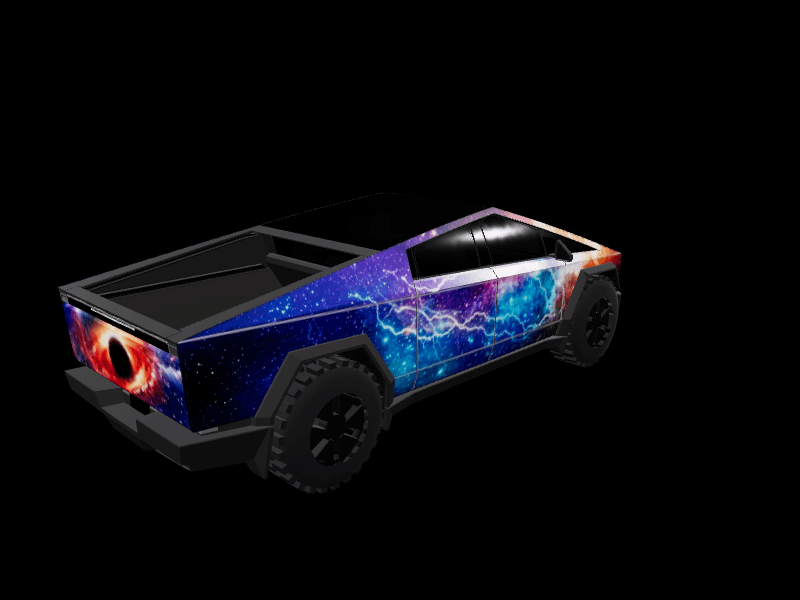
- 3D preview. Model 3, Model Y, Cybertruck, Model S, and Model X all render on interactive 3D models (support details here).
- AI generation, 3 per month. Type a prompt into the AI Tesla wrap generator and get a wrap design shaped to your vehicle's template. Three a month is enough to explore; the tutorial on AI wrap prompts helps you spend them well.
- The community gallery. Browse approved wraps, and fork any of them into your own editor as a starting point.
- Lock sounds. The lock chime library of nearly 400 sounds is free to browse and download, every file already saved as LockChime.wav, and a saved wrap can carry an attached chime so the theme travels as a pair.
- Export. A Tesla-ready PNG (1024x1024, or 1024x768 for Cybertruck, under 1MB) that you upload from the Tesla app under Creations > Wrap > Upload, or load from a USB drive on older software.
No trial clock, no watermark on exports, no credit card at signup.
What does the first five minutes look like?
Concretely, this is the loop:
- Open the studio and pick your model and variant. The official wrap template for that car loads immediately.
- Set a base color, or skip the blank page entirely by forking a design from the gallery.
- Add something: a stripe, a text layer, a sticker, an uploaded image, or a one-line prompt to the AI generator.
- Open the 3D preview and spin the car. Adjust what looks wrong. Repeat.
- Export the PNG, or sign up free to save the design and keep iterating later.
That's a complete design-to-file loop, and it costs nothing at any step. Most first-timers get something they'd actually load onto the car in 10 to 15 minutes.
Studio or Garage: which editor should you start in?
Both are free, both produce the same designs, and a design started in one opens in the other. The difference is how you think.
The Studio is template-first. You work on the flat top-down unwrap of the car with layers and precise tools, the way a designer would, and check the 3D view when you want confirmation. It's the stronger choice for detailed work, text alignment, and anything where you care about exact positioning.
The Garage is 3D-first and currently in beta. The car sits in front of you in one of seven scenes, from a light or dark showroom to Neon Bay, Cyber Garage and a moonlit campsite, and you design directly on it: click a panel to place text or a sticker and it rotates automatically to read upright on that panel, drag elements around the body, paint directly on the car. It's the stronger choice for getting a feel fast, and it's the more fun of the two by a wide margin. The Garage tutorial walks through it, and Studio or Garage is the longer comparison.
If you're undecided, start in the Garage to find a direction, then finish in the Studio.
What do the paid packs add?
AI volume, and nothing else. A free account gets 2 AI wraps a month. One-time packs add 10, 45 or 95 more for $4.99, $9.99 or $19.99, your first pack comes with 5 bonus wraps, and pack wraps never expire. There is no subscription. Saving and downloading designs is unlimited on every account. If you design occasionally and don't lean hard on the AI, the free account is genuinely the product, not a demo.
As rough guidance: the $4.99 pack suits owners who try the AI a few times, the $9.99 pack fits steady iterators who keep a library of works in progress, and the $19.99 pack is for people generating variations often or running seasonal rotations. Nothing about the editors, the 3D preview, or the export changes, so buying a pack is a volume decision, never a feature ransom.
Free tool vs. hiring a designer vs. template software
Hiring a designer makes sense for a physical vinyl wrap where the artwork will be printed at car scale and mistakes cost real money. Expect a few hundred dollars for custom wrap artwork, on top of the $2,000 to $6,000 install.
Template software (Photoshop on Tesla's official templates) gives professionals full control, but Photoshop runs $23/month and shows you a flat unwrapped file, not the design on the car. Fine if you already own the tools and can read a template.
A free online designer wins when the goal is the digital wrap itself, or exploring directions before spending on vinyl. There's nothing to install, the 3D preview answers "how does this actually look on my car" immediately, and iterating costs nothing. The honest limitation: FrunkLab designs Tesla digital wraps specifically. It's not a general-purpose vinyl production tool, and it won't output print-ready files for an installer's plotter.
What file do you actually get, and does the car take it?
The export is a PNG built to Tesla's own requirements: 1024x1024 for most models, 1024x768 for the Cybertruck, always under the 1MB cap. Getting it onto the car is quickest from your phone: upload a wrap from the Tesla app under Creations > Wrap > Upload. On older software it's a USB errand: the file goes in a folder named Wraps on an exFAT or FAT32 drive, and you select it on the touchscreen under Toybox > Paint Shop. The car then shows your design on its in-dash illustration, the charging screen, and the Tesla mobile app.
This is Tesla Paint Shop, an official Tesla feature, not a modification, so there's nothing to jailbreak and no warranty question. The end-to-end path, including what to do if you eventually want the design as physical vinyl, is laid out in how to get a custom Tesla wrap.
What's the catch?
Smaller than you'd expect, but real:
- 2 AI generations a month on free. Manual design tools are unlimited.
- Reference photos for the AI are capped at 5 uploads a day on free.
- Publishing to the public gallery goes through moderation, so a shared wrap isn't visible instantly.
- The wrap is digital: it changes your car's on-screen appearance and the mobile app, not the physical paint. If you want vinyl, read the comparison first.
- The 3D editors run best on a laptop or desktop. Phones work for browsing, less well for designing.
Not ready to start from a blank template? Pick one of the free Tesla Model Y wraps or Tesla Model 3 wraps and remix it.
Frequently asked questions
Do I need to create an account to try it? You can open the editors and design without one. Saving a design to your library and publishing to the gallery require a free account.
Is the exported file really accepted by the car?
Yes, when it meets Tesla's requirements, and the export is built to meet them: correct dimensions for your model and under 1MB. Upload it from the Tesla app under Creations > Wrap > Upload (step by step). On older software, put it in a Wraps folder on a USB drive and select it from Toybox > Paint Shop > Wraps (USB walkthrough).
Which Teslas can I design for? Model 3 (original and Highland), Model Y (original, Juniper, and Y L), Cybertruck, Model S, and Model X.
Can I sell designs I make on the free tier? The designs you create are yours. Gallery publishing has content rules (no real company logos, sponsor decals or team crests), but there's no watermark or license fee on your own exports.
Do free-tier designs expire? No. There's no time limit, no cap on how many designs you can keep saved, and nothing gets deleted on a schedule. A downloaded PNG is yours permanently either way.
Can I use a free design as the basis for a physical vinyl wrap? As the spec, yes. The export is screen resolution, so a shop won't print the file directly, but installers routinely work from a customer's design plus 3D preview screenshots and rebuild the artwork at production scale.
Does it work on a phone? The site runs in any modern browser, and browsing the gallery or lock sounds on a phone is fine. For actual designing, a bigger screen and a mouse make a real difference, and the Garage is desktop-first while in beta.
Open the studio, pick your Tesla, and see something on the 3D car in the next five minutes.
Put a custom wrap on your Tesla
Free community designs for every model, or make your own in the browser.